


 Bodno A10From $995
 Bodno A20From $1,595
 Bodno A30From $1,995
 Bodno A40 ProFrom $2,995
 vs.
vs.



 CR80 30 mil PVC cardsFrom $3.99
 Adhesive-backed PVC cardsFrom $9.99
 Proximity cards (NoMativ)From $369.00
 NTAG NFC cards, 100 packFrom $59.00
 Buy the softwareDesign and print ID cards on PC and Mac





Printer Support › Seaory S25
Seaory S25 Support
Drivers, firmware, manuals and step-by-step fixes, plus the ribbons and cards that fit this printer.
Seaory S25 Drivers, Firmware & Manuals
Setting up a new computer? Do it in this order. Installing needs an administrator account on a Windows PC (Intel or AMD) or a Mac: what your computer needs.
- Install the printer driverThen connect the printer to your computer and turn it on.
- Install Bodno ID Card SoftwareActivate it with the code from your email.
- Print a test cardConfirms the printer, ribbon and driver all work.
Bodno ID Card Software
Design and print your cards. Already installed? Activation & license help
Latest version 1.7.139 · Windows (including 11) & MacGuides & manuals (PDF)
Unboxing, loading the ribbon and cards, cleaning and settings.
Seaory S25 Fixes & How-To
Find your error code, or pick the topic below. Most problems are sorted in a few minutes.
Works on any ID card printer
Video guides
Bodno on YouTube Unboxing and setup
 Install the printer driver (Windows & Mac)
 Load cards
 Install a ribbon
 Print a test card
 Update the firmware (Windows & Mac)
 Clean the printer
 Full cleaning with the CC001 kit
 Adjust print alignment
 Error 48: ribbon troubleshooting
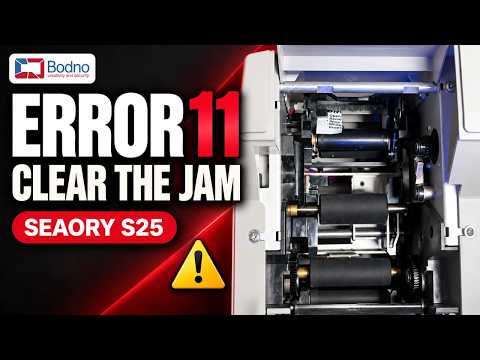 Error 11: card jam
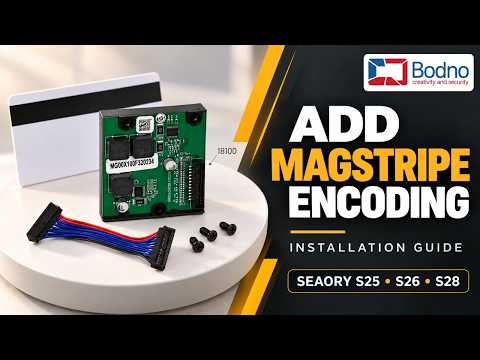 Install the magnetic stripe encoder
 Install the HID OMNIKEY 5127CK smart card encoder
 Design and print an ID card in Bodno Software
 Install Bodno Software on a Mac
Ribbons & Cards for the Seaory S25
The ribbons, cards and cleaning kits made for this printer. Free shipping on orders of $100 or more.
Have an older printer in the office?
Trade in any brand, working or not, for up to $600 back on a new printer.
Seaory S25 FAQ
How do I download and install the Seaory S25 driver?
Use the Printer driver button above for Windows or Mac. Run the installer, then connect the printer by USB and turn it on. When the printer shows up in Printers & scanners, print a test card to confirm everything works.
On a Mac, if the installer will not open, go to System Settings › Privacy & Security and click Open Anyway. Company computers may need IT to allow it.
How do I update the Seaory S25 firmware?
Most printers rarely need it. Update only if our support team asks you to, or to fix a known issue. Download it from Firmware update above, keep the printer turned on and connected by USB, and follow the instructions that come with the download.
Do not turn off or unplug the printer while it updates. If you would rather not do it alone, call us and a technician will run it with you over remote support.
Which versions of Windows does the Seaory S25 work with?
All of them, including Windows 11. The Seaory S25 driver and Bodno ID Card Software both work on any version of Windows. Get them from the downloads above.
Does the Seaory S25 work on a Mac?
Yes. Download the Mac driver above. Bodno ID Card Software runs on Mac too.
How do I print a test card?
The test card prints straight from the driver. No software or design file needed.
Windows: Printers & scanners › your printer › Printing preferences › Tool › Position Calibrate › Print Test Chart.
Mac: Printers & Scanners › your printer › Utility › Open Printer Utility › Print position calibration › Print Chart.
If the test card prints cleanly but your cards do not, the problem is in the software or the card design, not the printer.
Which ribbons and cards does the Seaory S25 use?
Ribbons made for the Seaory S25:
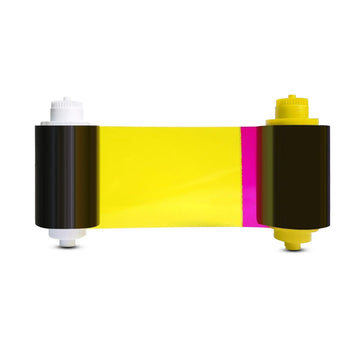
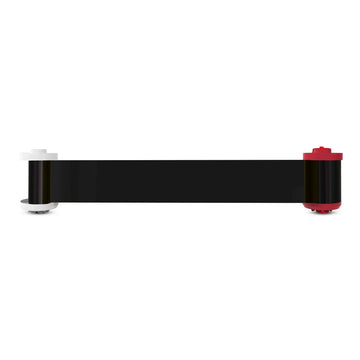
- Seaory 11011 Color Ribbon for Seaory S25 Printer - YMCKO $69.99
- Seaory 37201 Black Ribbon for Seaory S25, S26, and S28 Printers - K $99.00
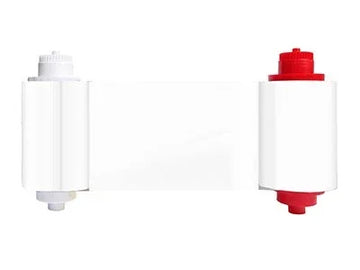
- Seaory 87101 White Monochrome Ribbon for Seaory S25, S26, and S28 Printers $99.99
- Seaory 57021 UV Ribbon for Seaory S25, S26, and S28 Printers $99.00
Cards: CR80 PVC cards. Most badges are printed on 30 mil cards, like our Bodno CR80 30 mil PVC cards. Keep them in the box until you load them, because dust and fingerprints show up on the print.
Which cleaning kit does the Seaory S25 use, and how often should I clean it?
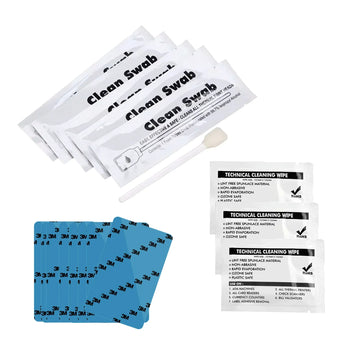
- Bodno CC001 Cleaning Kit for Seaory S25, S26 & S28 Printers – Cleaning Card, Swab & Cloth $39.99
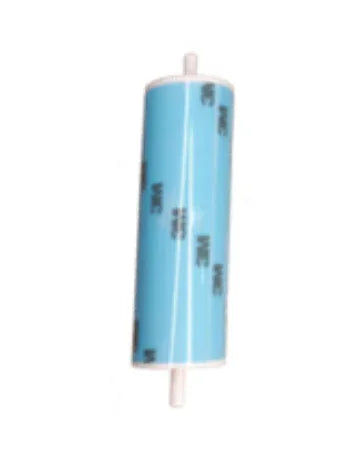
- Bodno Cleaning Roller for Seaory S25, S26 & S28 Printers (Seaory 16100 Compatible) $29.99
Run a cleaning card through the printer at every ribbon change, and right away if you see specks, dots or lines on your cards.
Take the ribbon out, then start the cycle from the driver. Windows: Printing preferences › Tool › Cleaning Tool. Mac: Printer Utility › Clean. Replace the sticky cleaning roller when it looks grey or stops picking up dust.
Which replacement parts can I order for the Seaory S25?
- Seaory 17100 Ribbon Cartridge Holder for S Series Printers $59.99
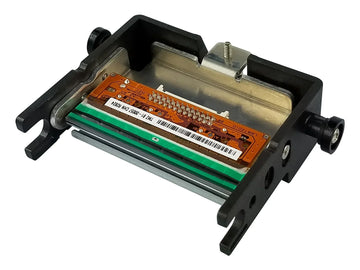
- Seaory 10100 Printhead for Seaory S25, 26, and S28 Printers $599.00
- Seaory 16300 Ribbon Gear for Seaory S25, S26, and S28 Printers $29.99
- Seaory 19100 Smart Card Encoder for Seaory S25, 26, and S28 Printers (OmniKey 5127CK) $699.00
- Seaory 18100 Magnetic Stripe Encoder for Seaory S25, 26, and S28 Printers $499.00
- Seaory USB-A to USB-C Converter for S Series and R Series Printers $12.99
- Seaory 16200 Card Moving Roller for S Series Printers $29.99
Not sure which part you need? Send us a photo and the serial number from the label on the printer.
Can several computers share the Seaory S25 over the network?
The S25 connects by USB to one computer. The S26 and S28 can also connect over Ethernet.
What do the ribbon error codes on the Seaory S25 mean?
- 41 or 46: the ribbon is used up. The roll and its print count can differ by a print or two. Fit a new ribbon.
- 42: the printer could not update the ribbon’s print count. Check the ribbon information under Printing preferences › Tool, then try another ribbon. If it keeps coming back, contact us.
- 43: no ribbon found, or it is in backwards. Match the colored spool ends to the colors marked on the cartridge.
- 44: ribbon not supported. It was made for a printer sold in another region. Use ribbons from Bodno for your printer.
- 45: ribbon missing, usually after a tear, a worn spool gear, or a ribbon that slid off center on its spool (you may hear a clicking sound). Push the ribbon back to the center of the spool and check the gear. Error 45 guide
- 48: the printer cannot read the color panels. Calibrate the ribbon LED with the ribbon out and the cover closed. A normal reading is about 195. Error 48 guide
- 49: the ribbon is dragging or slipping. Check the spool gear for broken teeth, make sure the ribbon is not wound too tight and is the right one for your printer, then calibrate the ribbon LED.
The ribbon tore. Can I keep using it?
Usually, if the tear is clean. Turn the printer off, lift out the cartridge, tape the break, and turn the spool to wind the taped part past the printhead before you reinstall it. Burned or shredded ribbon should be replaced.
A ribbon that keeps tearing is telling you something, and a new roll will tear in the same place. Common causes are a print running past the card edge, heavy dark designs, a worn spool gear, and printing on a card twice. Find the cause
A card is stuck. What do the card jam codes mean?
Codes 10 to 1B are card jams, numbered by where the card stopped: 11 and 12 at the card input, 13 and 14 at the flipper on two-sided models, 15 to 17 along the card path, and 18, 19 and 1B at the exit.
Turn the printer off, open the cover and ease the card out. Then look for the cause: a card left inside when the printer was turned off, two cards fed together, a ribbon that stuck to the card, or dust on a sensor. Run a cleaning card afterward, because dust on the sensors also causes false jam alarms. Card jam guide
What do Error 51, 52 and 5F mean?
51 and 52: the printer could not pull in a card. Check that the card feed setting in the driver matches where you load cards, set the thickness slider to your cards, fan the stack so static does not stick cards together, and take out any bent cards.
5F: no cards were found. Load cards, and check the card-detect lever in the hopper is in place.
My computer does not see the printer. What do I check?
- Use the USB cable that came with the printer, plugged straight into the computer. Skip hubs, docks and adapters, and on a desktop use a port on the back.
- Install the current driver from the Downloads section above (version 0.9.27.0 or newer).
- Restart the Print Spooler service in Windows, or restart the computer.
- Try another computer. If no computer sees the printer, contact us.
The printer will not turn on, keeps restarting or shows Error 31.
Check the light on the power adapter first. If it is off, dim or blinking, the adapter is the usual cause, and we replace it. Plug straight into a wall outlet while you test.
Use only the adapter that came with the printer. Others can fit and still not supply enough power, which causes restarts, jams and Error 31 (the printhead lift did not reach its position). If it keeps happening with the original adapter, contact us. Power troubleshooting guide
The clear overlay is wrinkled, or there are lines at the card edge.
These come from ribbon tension. Lines across the middle of the card: lower the ribbon supply tension by 3 (Printing preferences › Tool). Lines or color at the leading or trailing edge: raise it by 3. A wrinkled overlay: lower the overlay (O) heating energy a few steps.
Change one setting at a time and print one card after each change. Streaks and color guide
Can I print on a card that came out blank?
No. A card that has been through the printer usually has the clear overlay on it even when nothing printed, and printing on it again makes the ribbon stick and tear. Use a fresh card.
I have a new computer. What do I install?
Three things, in this order: the printer driver, Bodno ID Card Software, then a test card. Activate the software with the code from your purchase email. If activation does not go through, see Activation & license help or call us.
What should I send support so they can help fast?
- Your printer model and the serial number from the label on the printer
- A photo of the card or the error message
- Windows or Mac, and which version
- USB or Ethernet
- A screenshot of the printer information screen in the driver, which shows the firmware and driver version
- Your order number, so we can check your coverage, including TotalCare
Talk to a Bodno Technician
Real people who set up these printers every day. Tell us what you see and we'll walk you through it on your Seaory S25.
Call, email or share your screen
Pick whichever is easiest. Phone is fastest.
Send us your question
Include your printer model, and a photo of the card or error message if you can.
