


 Bodno A10From $995
 Bodno A20From $1,595
 Bodno A30From $1,995
 Bodno A40 ProFrom $2,995
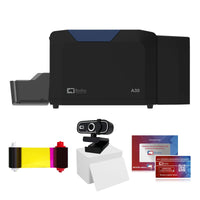 vs.
vs.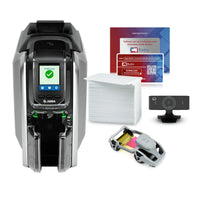

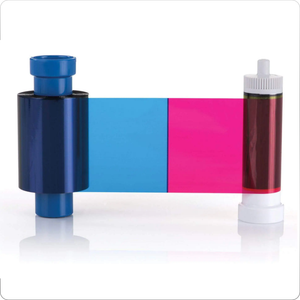
 CR80 30 mil PVC cardsFrom $3.99
 Adhesive-backed PVC cardsFrom $9.99
 Proximity cards (NoMativ)From $14.99
 NTAG NFC cards, 100 packFrom $59.00
 Buy the softwareDesign and print ID cards on PC and Mac

On this page
Updated October 12, 2026
A ribbon that breaks once is bad luck. A ribbon that keeps breaking is telling you something, and a new roll will tear in the same place. Where it tears tells you why. On the Seaory S25, S26 and S28 it is almost always one of five things: the print running past the card edge, the card design, ribbon tension, a worn gear, or the wrong cards.
Print the test chart. If the chart also breaks the ribbon, reset Position Calibrate to factory default and set L to +3. If the chart prints fine but your own design breaks it, the design is the cause: turn on Rotate 180° and print again. If it still tears, lower the ribbon supply tension by 3. Check the ribbon gear for missing teeth either way.
First, deal with the ribbon you have now
Turn the printer off, lift out the cartridge and turn the spool gears by hand to bring the break into view. A ribbon that is burned, shredded or badly crumpled should be replaced. A clean tear can usually be joined and the rest of the roll used:
- Trim both torn ends straight with scissors.
- Line the two ends up edge to edge, straight, and join them with a short strip of clear tape across the break. Keep it flat, with no folds or bubbles.
- Turn the used-ribbon spool by hand a few turns, until the taped join is wound onto it and out of the print path. You lose about one card's worth of ribbon.
- Put the cartridge back and close the cover. The printer finds its place on the ribbon again by itself.
- Print one test card before your next batch.
Not sure the tear is clean enough? Send us a photo. When you reinstall, keep the film straight, take up the slack without over-tightening, and close the cover gently. Use the power adapter that came with the printer, plugged straight into a wall outlet; other adapters and power strips can cause faded prints and breaks.
Then find out why it broke
Look at where the ribbon tore, then match it here.
| Where or when it tears | Cause | Fix |
|---|---|---|
| At the card edge, or the test chart breaks it too | Print running past the edge of the card | Fix 1 |
| Test chart is fine, your design tears or sticks in the same spot (photo, dark block) | The design | Fix 2 |
| Streaks or smudges first, then the ribbon sticks to the card or looks melted | Ribbon tension or heat | Fix 3 |
| Gear on the ribbon spool has missing or cracked teeth | Worn ribbon gear | Fix 4 |
| Only on certain cards: coated or inkjet cards, chip cards | The cards | Fix 5 |
| Started right after a printhead replacement, or cards look very dark | Too much heat | Fix 6 |
| Ribbon winds backwards or snaps the moment you close the cover | Ribbon motor | Error 45 guide |
When the print area runs past the card, the printhead heats bare ribbon and it tears. It is one of the most common causes we see, often after someone pushed L or T negative to chase a white edge.
Print one card. If it still tears, set L to +3, choose Apply New Value and print one more. Then print the test chart and check the 0 arrows sit on the card edge. If a little white edge comes back, see White edge on the short side, and stay inside its safe range.
The tell: the test chart and our built-in templates print fine, but your design tears or sticks at the same spot every time, usually a photo or a large dark area near one end. Turning the print around changes where the heaviest printing meets the ribbon, and it has cleared several of these cases on its own.
Print one card. If you design in Bodno software, check the card's front and back still come out the right way round. If it still tears:
- Go back to the default image color settings if anyone has changed them.
- Avoid solid dark color running off the edge of the card. A light border of 1–2 mm around the design helps.
- Send us the design file. We can test it on the same printer and tell you exactly what to change.
If the ribbon sticks to the card or the card shows color streaks before the tear, lower the ribbon supply tension by 3 in the driver tools and print one card.
Better? Leave it there. Worse, or no change? Set it back to 0 and contact us rather than going further. Going much past −5 tends to make it worse, not better.
Check the plastic gear on the end of the ribbon spool. Missing or cracked teeth let the ribbon slip, bunch and tear. Fit a new 16300 ribbon gear, or move the gear over from a used ribbon core to get you through the day.
- Coated or inkjet cards are made for inkjet printers. Their coating melts into the ribbon, rips it, and can ruin the cleaning roller. Use standard CR80 PVC cards.
- Chip or prox cards are not perfectly flat and can print poorly or stick to the ribbon. Contact us for settings for your card. If you print chip cards every day, a retransfer printer is the right tool.
If the tearing started after a printhead was replaced, make sure the new printhead's serial number was entered in the driver. Without it the printer can drive the new printhead too hot. See printhead replacement.
If cards also come out very dark, lower the heating energy a few steps and print one card. Reset returns it to the factory setting.
Make one change, print one card, and look. Changing three settings at once is how printers end up with a setting nobody remembers and a ribbon that breaks again next month.
If the test chart breaks the ribbon even after a factory reset and L +3, or the ribbon tears on a brand-new printer, stop there. Something inside needs a look, usually the printhead bracket, and it is not a settings problem.
Supplies for this job
Send these with your first message and we can skip a round
Most support cases take an extra day only because we have to ask for these. Attach them up front and we can usually give you the next step the same day.
- Printer model and serial number (label on the back of the printer)
- A screenshot of the printer information screen in the driver (firmware and driver version)
- A photo of the test chart (how to print it)
- A photo of the ribbon where it broke or stuck, and of the printed card
- Your card design file, and what cards you are printing on
- A short phone video of the problem happening, if it is a noise, a jam or a restart
Guide prepared with Seaory after-sales engineering from real Bodno support cases. Updated October 12, 2026. Applies to Seaory S25, S26 and S28 sold by Bodno.
Tell our support team your printer model and what you see on the screen, and we'll help you get printing.
