Bodno A10From $995
 Bodno A20From $1,595
 Bodno A30From $1,995
 Bodno A40 ProFrom $2,995
 vs.
vs.



 CR80 30 mil PVC cardsFrom $3.99
 Adhesive-backed PVC cardsFrom $9.99
 Proximity cards (NoMativ)From $369.00
 NTAG NFC cards, 100 packFrom $59.00
 Buy the softwareDesign and print ID cards on PC and Mac




Seaory
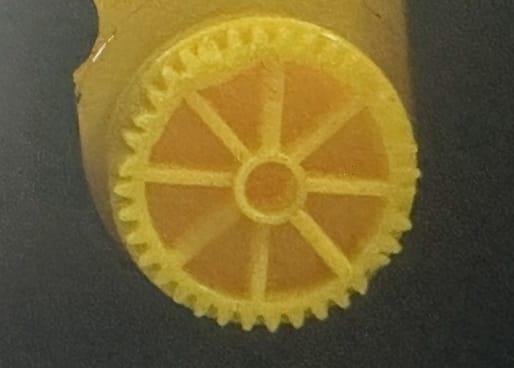
Seaory 16300 Ribbon Gear for Seaory S25, S26, and S28 Printers
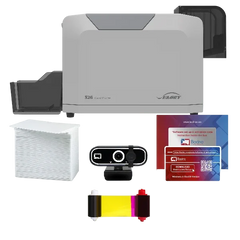
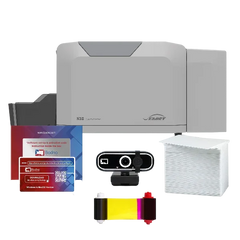
✓ Fits Seaory S25, Seaory S26, Seaory S283 printer models · See compatible printers
Compatible with
Don’t see your printer? Find your printer’s supplies or call (732) 987-5300.
Specifications
| Brand | Seaory |
|---|---|
| Part number | 16300 |
| Fits | Seaory S25, Seaory S26, Seaory S28 |
About this product
Compatible with Seaory S25, S26, and S28 Card Printers
The Seaory 16300 Ribbon Gear is a genuine replacement part designed to ensure precise ribbon movement and stable operation within Seaory S25, S26, and S28 card printers. This gear is responsible for driving the ribbon spool during the printing process, helping maintain proper ribbon tension and alignment for consistent, high-quality output.
Crafted with durable, wear-resistant materials, the ribbon gear supports smooth mechanical performance and reduces the risk of ribbon feeding errors, such as slipping or misalignment. Whether you're performing repairs or preventative maintenance, replacing a worn ribbon gear is essential for extending the life of your printer and maintaining professional print results.
Key Features:
-
Genuine Seaory replacement gear for S25, S26, and S28 printers
-
Controls ribbon movement with stable and accurate rotation
-
Helps prevent ribbon drift, slippage, or print misalignment
-
Easy to install as part of routine maintenance or repairs
Keep your Seaory card printer running at peak efficiency with the 16300 Ribbon Gear—an essential component for reliable ribbon handling and consistent printing performance.
Common questions
Which printers does the Seaory 16300 Ribbon Gear fit?
It fits the Seaory S25, Seaory S26, Seaory S28. Not sure which printer you have? Email sales@bodno.com and we’ll confirm it before you order.
Why does my ribbon keep breaking?
Where it tears tells you why. If the printer’s test chart tears it too, the print is running past the card edge: reset Position Calibrate to factory default, then set L to +3. If only your own design tears it, turn on Rotate 180° and keep solid dark color off the card edge. A spool gear with missing teeth (replace it with a 16300 ribbon gear) and coated inkjet cards also tear ribbons. Full guide: Ribbon keeps breaking.
Should I clean the printer when I change the ribbon?
Yes. Run a cleaning card and wipe the printhead at every ribbon change, and sooner if specks or lines show up. The CC001 cleaning kit has the card, swab and cloth. How to: clean the S25, S26 and S28.