Bodno A10From $995
 Bodno A20From $1,595
 Bodno A30From $1,995
 Bodno A40 ProFrom $2,995
 vs.
vs.



 CR80 30 mil PVC cardsFrom $3.99
 Adhesive-backed PVC cardsFrom $9.99
 Proximity cards (NoMativ)From $14.99
 NTAG NFC cards, 100 packFrom $59.00
 Buy the softwareDesign and print ID cards on PC and Mac




On this page
Short answer: your printer still works, and your card designs and data are safe. Only the software license on your USB dongle expired. To print without a watermark again, switch to an activation code.
Check your license status
Go to our license status page and enter your license key (it starts with "CC"). You will see your software edition, license key and expiration date.
Why your USB license expired
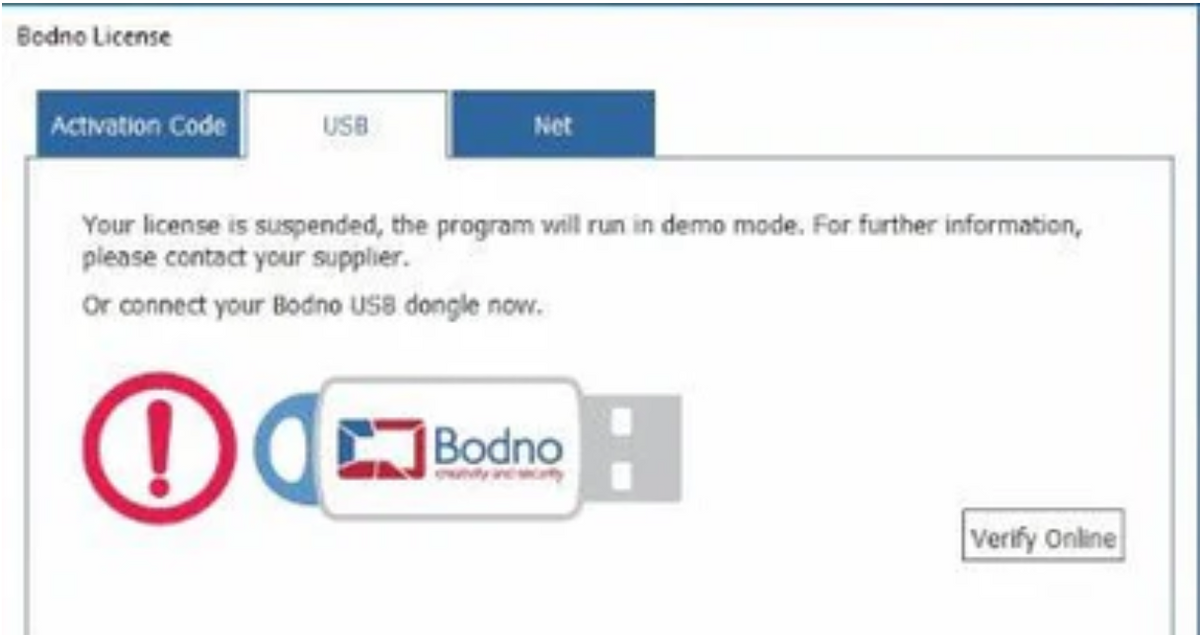
Bodno USB dongle licenses were always 5-year licenses. That was the only way they were sold, whether the dongle came with a printer or was bought on its own. None of them were lifetime licenses. After five years the license expires, and the software shows "expired" or "suspended".
USB dongles are no longer sold or replaced. A USB license that has not reached its expiration date keeps working until then. Once it expires, the way forward is an activation code.
What still works
- Your printer still works.
- Your card designs and data are safe.
- Only the software license expired. Without a license, the software runs in demo mode and cards print with a watermark. Enter an activation code and you are back to normal.
Activation code options
An activation code is a license you type into the software. No USB needed. Prices below are for the Bronze edition; higher editions cost more.
- Monthly: from $39.99 a month. Pay as you go and cancel any time. Cancelling stops the license right away.
- Yearly: from $299.99 a year. Renews automatically each year.
- One-Time (3 years): from $499.99. One payment covers 3 years. It never renews.
- Lifetime: from $999.99. One payment, good for the life of your printer. You can move it to a new computer.
Your activation code arrives by email after purchase. See all editions and prices.
$10 off your activation code
Use code PMKKNSEHV9YD at checkout.
- Monthly or Yearly: $10 off your first month or year.
- One-Time (3 years) or Lifetime: $10 off the price.
Or trade in your printer
Using an older printer? Trade it in toward a new Bodno A-Series printer, which comes with a lifetime software license. Any brand, any age, any condition. See how trade-in works.
Enter your activation code
- Open Bodno software.
- Go to BOD › Bodno License › Activation Code.
- Paste the code from your email.
- Click Activate and restart the software.
Questions
What happens if I don't switch to an activation code?
The software stays in demo mode and cards print with a watermark. Your printer, card designs and data are not affected.
My activation code is valid, but the software stays in demo mode on our office network.
The network's firewall is probably blocking the license check. See Bodno software stuck in demo mode on a company network for a quick test and the settings to send your IT team.
Need help?
Contact Bodno support or call (732) 987-5300. We will walk you through it.
Tell our support team your printer model and what you see on the screen, and we'll help you get printing.