Bodno A10From $995
 Bodno A20From $1,595
 Bodno A30From $1,995
 Bodno A40 ProFrom $2,995
 vs.
vs.



 CR80 30 mil PVC cardsFrom $3.99
 Adhesive-backed PVC cardsFrom $9.99
 Proximity cards (NoMativ)From $369.00
 NTAG NFC cards, 100 packFrom $59.00
 Buy the softwareDesign and print ID cards on PC and Mac






Magicard
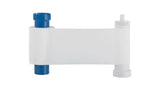
Magicard MA1000K-White Monochrome Ribbon for Rio Pro, Enduro, Pronto, 300 & 600
White K · 1,000 prints
✓ Fits Magicard 250X, Magicard 400X, Magicard D3 printer models · See compatible printers
Compatible with
Don’t see your printer? Find your printer’s supplies or call (732) 987-5300.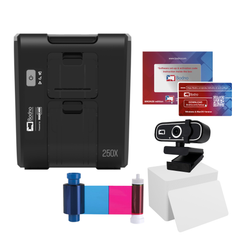

Customers also buy
Specifications
| Brand | Magicard |
|---|---|
| Part number | MA1000k-White |
| Panels | White K |
| Prints per roll | 1,000 prints |
| Cost per card | About $0.07 per card |
| Fits | Magicard 250X, Magicard 400X, Magicard D |
About this product
Magicard MA1000K-White Ribbon
The Magicard MA1000K-White Ribbon is specifically designed for printing crisp, high quality white text and graphics onto colored or dark PVC cards. Ideal for clear and professional single-color personalization, this ribbon produces up to 1,000 vivid prints per roll, ensuring durability and excellent readability.
Key Features:
-
High-Capacity Efficiency: Yields up to 1,000 monochrome white prints per roll, perfect for high-volume printing needs.
-
Clear, Crisp Quality: Delivers sharp text, barcodes, and logos with outstanding visibility on dark-colored cards.
-
Genuine Magicard Quality: Manufactured by Magicard for reliable performance, optimal compatibility, and consistent print results.
Compatibility:
The Magicard MA1000K-White Ribbon is fully compatible with the following Magicard printers:
-
Magicard D
-
Magicard 400X
-
Magicard 300
-
Magicard Pronto
-
Magicard 600
-
Magicard Enduro 3e
-
Magicard Pronto 100
-
Magicard Rio Pro 360
Ideal Applications:
Perfect for businesses and organizations requiring clear personalization on access cards, membership IDs, visitor badges, loyalty cards, casino player cards, gaming cards, and promotional cards, especially when using dark or colored card stock.
Easy Installation:
Designed for quick and simple installation, ensuring minimal downtime and continuous, hassle-free operation.
Common questions
How many cards does one Magicard MA1000K-White Monochrome Ribbon print?
1000 single-sided cards per ribbon. If you print on both sides of a card, each card uses two prints, so one ribbon makes 500 two-sided cards.
How many ribbons do I need?
For 500 cards you need 1 ribbon, and for 1,000 cards you need 1, printing on one side. Use the calculator above for your exact number.
Which printers does the Magicard MA1000K-White Monochrome Ribbon fit?
It fits the Magicard 250X, Magicard 400X, Magicard D. Not sure which printer you have? Email sales@bodno.com and we’ll confirm it before you order.
Should I clean the printer when I change the ribbon?
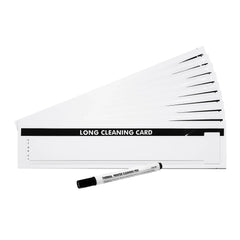
Yes. Run a cleaning card and fit a fresh cleaning roller at every ribbon change. Static on PVC cards pulls in dust, and dust dragged under the printhead is what wears it out. More: Why regular cleaning matters.
Why is there a white line on every card?
Print the printer’s own test card. If the line is there too, a printhead element is damaged, and it cannot be cleaned away or repaired, only replaced. Cleaning at every ribbon change, and punching slots after printing instead of before, keeps it from happening. See White line on Magicard printers.
I get a MAGAPI error in Bodno software. What do I do?
In Bodno, open the BOD tab → Printer Drivers, find your Magicard printer, change Print Class to WIN32API, save, and restart Bodno. More: Fix the MAGAPI error.