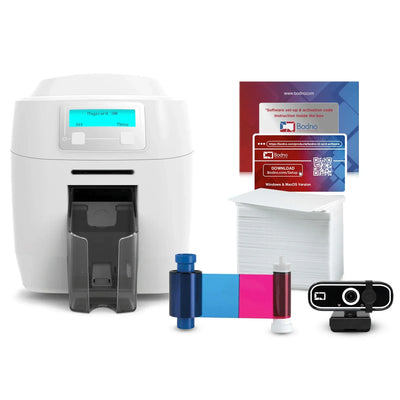
Bodno A10From $995
 Bodno A20From $1,595
 Bodno A30From $1,995
 Bodno A40 ProFrom $2,995
 vs.
vs.



 CR80 30 mil PVC cardsFrom $3.99
 Adhesive-backed PVC cardsFrom $9.99
 Proximity cards (NoMativ)From $14.99
 NTAG NFC cards, 100 packFrom $59.00
 Buy the softwareDesign and print ID cards on PC and Mac




On this page
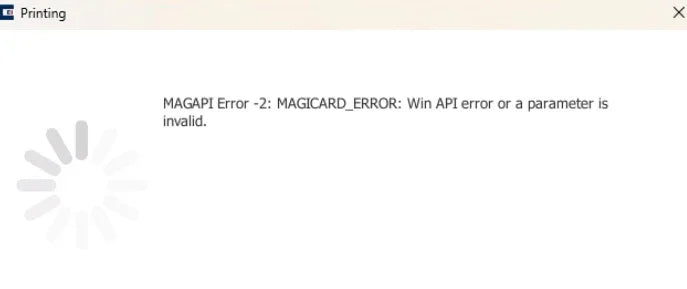
How to Fix MAGAPI Error on Magicard Printers
Experiencing a MAGAPI error with your Magicard printer? This common issue affects several Magicard models, including the Pronto, Pronto100, 300, 400X, 600, and the D. Fortunately, you can resolve this error quickly by adjusting the printer driver settings in your Bodno software.
Here's an easy-to-follow guide to solve the MAGAPI error:
Step-by-Step Solution:
-
Open Bodno Software.
Launch the Bodno application on your computer. -
Navigate to the BOD Tab.
Locate and click the BOD tab in the top navigation. -
Access Printer Drivers.
Under the BOD tab, select "Printer Drivers." A new window will open displaying printer settings. -
Locate the PRINT CLASS Column.
Select your Magicard printer model from the list. Scroll horizontally to the right to find the PRINT CLASS column. -
Change PRINT CLASS to WIN32API.
From the dropdown in the PRINT CLASS column, change the current setting to WIN32API. Ensure you save these updated settings. -
Restart Bodno Software.
Close and reopen your Bodno software to apply changes.
Once completed, your Magicard printer should operate without the MAGAPI error, restoring full functionality and performance.
If issues persist, our dedicated support team is ready to assist. Reach out through our contact page or call directly for immediate assistance.
Tell our support team your printer model and what you see on the screen, and we'll help you get printing.