Bodno A10From $995
 Bodno A20From $1,595
 Bodno A30From $1,995
 Bodno A40 ProFrom $2,995
 vs.
vs.



 CR80 30 mil PVC cardsFrom $3.99
 Adhesive-backed PVC cardsFrom $9.99
 Proximity cards (NoMativ)From $369.00
 NTAG NFC cards, 100 packFrom $59.00
 Buy the softwareDesign and print ID cards on PC and Mac





On this page
Bodno A-Series Help · Ribbon errors
Error 48 stops the print before it starts. It looks serious, but on an A-Series printer it nearly always comes down to the ribbon or the small sensor that reads it, and you can usually clear it yourself in about ten minutes.
Reseat the ribbon, check the gear on the spool for missing teeth, recalibrate the ribbon sensor with the ribbon out and the cover closed, clean the sensor, then check the sensor bracket. If only one design triggers it, turn on Rotate 180°.
What Error 48 is telling you
The printer reads small marks on the color ribbon with a light sensor so it knows which color panel is under the printhead. Error 48 means that reading failed. The ribbon, the gear that turns it, the sensor and the little bracket that holds the sensor light are the only things involved, so that is where the fix is.
Do these five checks, in this order
Print one card after each check. Most printers are back after the first or third.
1Is it the right ribbon, seated properly?
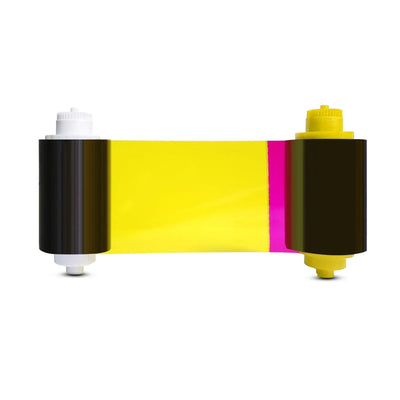
Each model takes its own ribbon: A5100 on the A10, A5300 on the A20, A30 and A40 Pro, or the 500-print A5500 on the A40 Pro. Lift the cartridge out and make sure the film is flat, not creased, and not wound tight. Put it back flat in its guides and close the cover gently. A cover pushed down hard is the usual way the sensor bracket in check 5 gets knocked out of place.
2Does the gear on the ribbon spool have all its teeth?
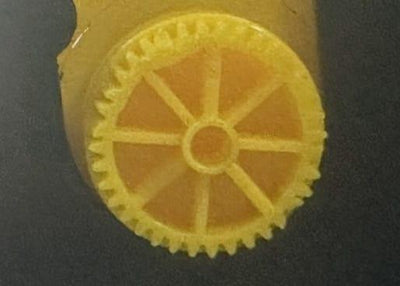
The plastic gear on the end of the spool turns the ribbon. A chipped or cracked gear lets the ribbon slip, and the printer loses its place. Swap in an A-Series ribbon drive gear; the gear from a used ribbon core will do for a day if you are mid-batch.
3Recalibrate the ribbon sensor
Ribbon out, cover closed. Then run the calibration:
Windows:Printing Preferences › Tool › Calibrate Ribbon LED Mac:Printer Utility › Other Tools › Calibrate Ribbon LEDPut the ribbon back and print. If calibration reports a failure, run it once more. Two failures in a row send you to check 4.
The result shows a reading for each sensor, and the number tells you where to look:
4Clean the sensor
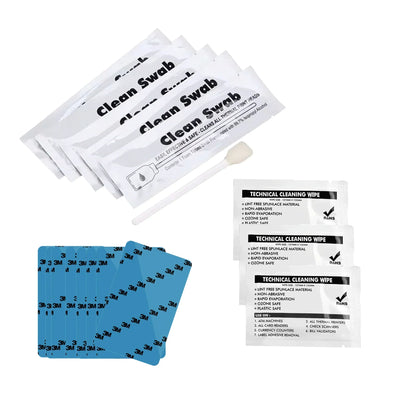
Power off and unplug. Wipe the sensor light and the sensor under it with a dry swab, or one lightly dampened with the alcohol swab from the BB001 kit. Let it dry, then calibrate again with the ribbon out.
5Is the sensor bracket in its notch?
The sensor light sits on a small plastic bracket. If it has been pushed out of its notch it points at the wrong spot and every calibration fails. With the power off, press it gently back if it has only slipped. If it is bent, cracked or hanging loose, leave it: it is a replacement part, and we send it with a short video of the swap.
Other ribbon codes you might see
Error 48 only on certain designs
If the test chart prints without an error but one design throws Error 48, the ribbon is sticking or tearing on that design and the printer reports it as a ribbon error. Two settings cleared this in our cases:
- Reset image color to default in Printing Preferences if anyone has changed it.
- Turn on Rotate 180° and print again.
If the ribbon is visibly tearing, go to Ribbon tearing or sticking to cards.
Parts for this fix
Reviewed by Bodno Tech Support, based on real A-Series support cases. Last reviewed October 2026.
Did this fix it?
Still having trouble? Let us take it from here.
Leave your details and tell us what's happening. The CEO's office will have a senior member of our support team reach out to you. It isn't instant, so if it can't wait, call (732) 987-5300, Monday to Friday, 9 AM to 6 PM ET.
Tell our support team your printer model and what you see on the screen, and we'll help you get printing.