Bodno A10From $995
 Bodno A20From $1,595
 Bodno A30From $1,995
 Bodno A40 ProFrom $2,995
 vs.
vs.



 CR80 30 mil PVC cardsFrom $3.99
 Adhesive-backed PVC cardsFrom $9.99
 Proximity cards (NoMativ)From $369.00
 NTAG NFC cards, 100 packFrom $59.00
 Buy the softwareDesign and print ID cards on PC and Mac





On this page
Bodno A-Series Help · Ribbon errors
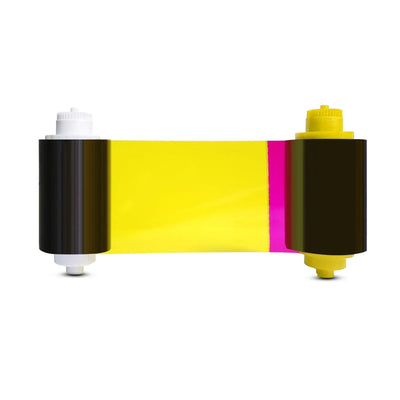
If the ribbon tears or sticks to the card more than once, a new roll will not fix it. Something is pushing too much heat or pull into the film, and where it fails tells you what.
Print the test chart. If the chart tears the ribbon, reset Position Calibrate and set L to +3. If only your design tears it, turn on Rotate 180°. Still tearing: ribbon supply tension −3, a new drive gear, and fresh plain PVC cards.
Start with one test chart
A tear is a symptom. The test chart from the driver tells you which kind of problem you have before you change anything:
Where:Printing Preferences › Tool › Position Calibrate › Print Test ChartABring the print back onto the card
If someone moved the print position to hide a white edge, the image can end up hanging past the card, and the printhead heats bare ribbon. Reset it:
Where:Printing Preferences › Tool › Position Calibrate › Reset to factory defaultPrint a card. Still tearing? Set L to +3, apply, and print once more. Then print the test chart and check that the 0 arrows meet the card edge.
BTurn the design around
When the chart and the built-in templates print fine but your card tears at the same spot, usually a photo or a dark block near one end, turn on Rotate 180° in Printing Preferences. It moves the heaviest printing to the other end of the ribbon pass, and on its own it fixed several of these cases for us. If it still sticks:
- Reset image color to default.
- Keep solid dark color off the very edge; a light border of 1–2 mm is enough.
- Send us the file. We print it on the same model and tell you exactly what to change.
CEase the ribbon tension
Where:Printing Preferences › Tool › Ribbon supply tension › −3Print one card. If it helped, leave it. If nothing changed, put it back to 0 and talk to us rather than going lower.
DReplace a worn drive gear
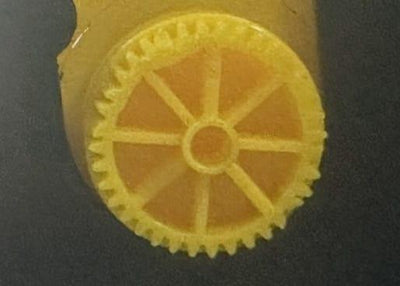
Look at the gear on the end of the ribbon spool. Missing or cracked teeth let the ribbon bunch up and tear. Fit an A-Series ribbon drive gear.
ECheck the cards
- Coated or inkjet cards melt into the ribbon and tear it. Use plain CR80 30 mil PVC cards.
- Reprinting a card that already went through the printer makes the ribbon stick. Always use a fresh card.
- Chip and prox cards are uneven; see which cards work for settings.
FBring the heat down
If the tearing started after a printhead was replaced, check that the new printhead's serial number was entered in the driver. Without it the printer can run the new printhead too hot.
Where:Printing Preferences › Tool › Renew print headEnter the serial number printed on the printhead and apply. If cards also come out very dark, lower the heating energy a few steps and print one card. Reset puts it back to the factory setting.
Where:Printing Preferences › Tool › Heating energyWhen you put the ribbon back
Turn the spool by hand to take up slack, but leave it a touch loose rather than tight. Close the cover gently. In one of our cases the ribbon tore every time the cover was shut on a ribbon that had been wound tight.
The test chart still tears the ribbon after a factory reset and L +3, or a brand-new printer tears its first ribbon. That points to the printhead bracket, not a setting.
Parts for this fix
Reviewed by Bodno Tech Support, based on real A-Series support cases. Last reviewed October 2026.
Did this fix it?
Still having trouble? Let us take it from here.
Leave your details and tell us what's happening. The CEO's office will have a senior member of our support team reach out to you. It isn't instant, so if it can't wait, call (732) 987-5300, Monday to Friday, 9 AM to 6 PM ET.
Tell our support team your printer model and what you see on the screen, and we'll help you get printing.