Bodno A10From $995
 Bodno A20From $1,595
 Bodno A30From $1,995
 Bodno A40 ProFrom $2,995
 vs.
vs.



 CR80 30 mil PVC cardsFrom $3.99
 Adhesive-backed PVC cardsFrom $9.99
 Proximity cards (NoMativ)From $14.99
 NTAG NFC cards, 100 packFrom $59.00
 Buy the softwareDesign and print ID cards on PC and Mac




On this page
Bodno A-Series Help · Cards
Plenty of "the printer is broken" calls turn out to be the cards. Here is what an A-Series printer is built to print on, what to keep out of it, and how to load cards so they feed every time.
Use CR80 white PVC cards, 30 mil. Never load coated inkjet cards or reprint a card. Chip cards print with heating energy −50. Slot-punched cards that jam on the A30 or A40 Pro: turn on Rotate 180°.
The quick list
Coated cards: the expensive mistake
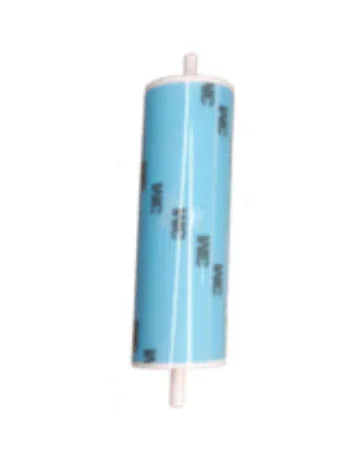
Some cards sold for photo ID are made for inkjet printers and have a coating you cannot see. In an A-Series printer the coating melts onto the ribbon, rips it, and sticks to the cleaning roller badly enough that the roller has to be replaced. If a box of cards came from somewhere else and the trouble started with that box, stop using it.
Chip and prox cards
The chip or antenna makes the surface slightly uneven, and the default heat is set for flat PVC. Start at heating energy −50 and ribbon supply tension −3 and adjust from there. For daily chip-card printing, a retransfer printer prints over the chip much more evenly.
Slot-punched cards on the A30 and A40 Pro
A hole near the edge can catch as the card turns over for the back side. Turn on Rotate 180° so the hole leads from the other end, or print first and punch afterward.
Loading so cards feed cleanly
- Flex and fan the stack to break the static, then square it up.
- On models with a card hopper, put the counterweight card on top of the stack.
- Set the thickness slider at the feeder to match your cards.
- Keep the printer on a flat, solid surface; one of our customers fixed a "no cards" error just by moving to another table.
Still getting feed or jam errors? See Card jam and feed errors.
Parts for this fix
| Bodno CR80 30 mil PVC Cards | $14.99 | Add to cart |
| A-Series Counterweight Card | $59.99 | Add to cart |
| A-Series Cleaning Roller | $29.99 | Add to cart |
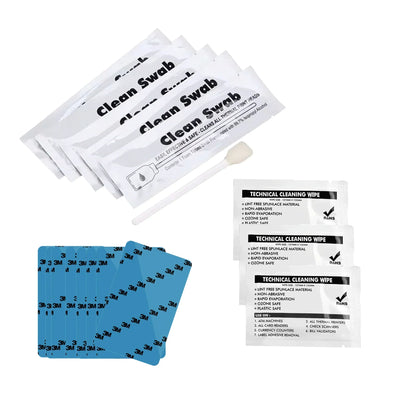
| Bodno BB001 Cleaning Kit for A-Series | $39.99 | Add to cart |
Write to us with these and we can answer the same day
Most cases go back and forth an extra time only because we have to ask for these. Put them in your first message:
- The serial number from the label on the back of the printer
- Your model: A10, A20, A30 or A40 Pro
- A screenshot of the printer information screen in the driver (it shows the firmware and driver version)
- What cards you are using, and where they came from (a photo of the box helps)
- Any error code on the printer screen
Written by Bodno Tech Support from real A-Series support cases. Last reviewed October 2026.
Tell our support team your printer model and what you see on the screen, and we'll help you get printing.