Bodno A10From $995
 Bodno A20From $1,595
 Bodno A30From $1,995
 Bodno A40 ProFrom $2,995
 vs.
vs.



 CR80 30 mil PVC cardsFrom $3.99
 Adhesive-backed PVC cardsFrom $9.99
 Proximity cards (NoMativ)From $369.00
 NTAG NFC cards, 100 packFrom $59.00
 Buy the softwareDesign and print ID cards on PC and Mac





On this page
Bodno A-Series Help · Print quality
A fine white line through the same spot on every card is one of the few print problems that is not a setting. Before you replace anything, make sure it is the kind of line a printhead makes.
Clean the printhead and print the test chart. Try a fresh section of ribbon and check the drive gear. If the line is still in the same place, the printhead needs replacing. Send us the serial number first so we can check your coverage.
First, which white line do you have?
Step 1: clean the printhead
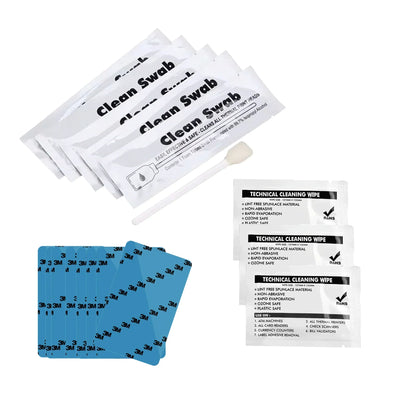
Power off and let the printer cool for a few minutes. Wipe the printhead with the swab from the BB001 cleaning kit in one direction only, three to five light passes. Never scrub back and forth. Let it dry, then run the cleaning card. Print the test chart:
Where:Printing Preferences › Tool › Position Calibrate › Print Test ChartStep 2: rule out the ribbon
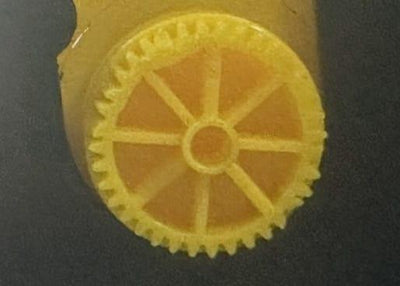
A creased or stretched section of ribbon can leave a line on a few cards in a row. Advance to a fresh section or try a new roll. While the cartridge is out, check the drive gear for worn teeth; one of our customers' lines came from a worn gear, not the printhead.
Step 3: still there? It is the printhead
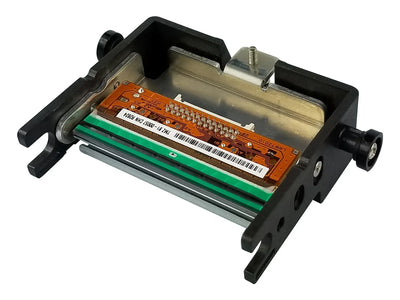
A line that survives cleaning and a fresh ribbon, in the same spot on the test chart, means one heating element on the printhead has failed. Nothing in the settings will bring it back.
- A10, A20 and A30: A-Series 300 dpi replacement printhead.
- A40 Pro: it uses a higher-resolution printhead. Contact us and we will send the right one.
Before you buy, send us the serial number. We will check your coverage first, and walk you through the swap on a video call if you would like.
After the swap: register the new printhead
Enter the serial number printed on the new printhead in the driver, then apply. Skip this and the printer may heat the new printhead wrongly, which shows up as poor prints or torn ribbons.
Where:Printing Preferences › Tool › Renew print headIf the printer shows an error after a new printhead goes in, or worked for a while and then started showing one, the printhead cable is not fully seated. Stop printing and contact us with a photo of both ends of the cable.
Keep the new printhead healthy
- Run a cleaning card at every color ribbon change.
- Use clean, flat PVC cards. Grit and rough edges scratch the printhead.
- Never use coated inkjet cards.
Parts for this fix
| Bodno BB001 Cleaning Kit for A-Series | $39.99 | Add to cart |
| A-Series Ribbon Drive Gear | $29.99 | Add to cart |
| A-Series Replacement Printhead (300 dpi: A10, A20, A30) | $599.00 | Add to cart |
Write to us with these and we can answer the same day
Most cases go back and forth an extra time only because we have to ask for these. Put them in your first message:
- The serial number from the label on the back of the printer
- Your model: A10, A20, A30 or A40 Pro
- A screenshot of the printer information screen in the driver (it shows the firmware and driver version)
- A photo of the test chart showing the line
- When the line started, and whether the printhead has been replaced before
Reviewed by Bodno Tech Support, based on real A-Series support cases. Last reviewed October 2026.
Did this fix it?
Still having trouble? Let us take it from here.
Leave your details and tell us what's happening. The CEO's office will have a senior member of our support team reach out to you. It isn't instant, so if it can't wait, call (732) 987-5300, Monday to Friday, 9 AM to 6 PM ET.
Tell our support team your printer model and what you see on the screen, and we'll help you get printing.