Bodno A10From $995
 Bodno A20From $1,595
 Bodno A30From $1,995
 Bodno A40 ProFrom $2,995
 vs.
vs.



 CR80 30 mil PVC cardsFrom $3.99
 Adhesive-backed PVC cardsFrom $9.99
 Proximity cards (NoMativ)From $14.99
 NTAG NFC cards, 100 packFrom $59.00
 Buy the softwareDesign and print ID cards on PC and Mac





On this page
Whether you’re managing a large university with tens of thousands of students or a small K–12 campus, a reliable ID card system is crucial. Student IDs aren’t just pieces of plastic; they’re a gateway to cafeteria meals, library checkouts, dorm access, and more. The right printer can boost security, reduce wasted supplies, and simplify life for students, faculty, and administrative staff alike.
Below, you’ll find five ID card printers that excel at producing basic student IDs across different budgets. We’ve also added expanded mini case studies and insider tips so you can see how these printers perform in real-world school settings.
1. Matica MC320
Why it’s great for schools
- A direct-to-card (DTC) model that balances print quality and cost.
- Prints a full-color card in about 20 seconds, which is helpful during busy orientation weeks.
- User-friendly controls mean one staff member can often handle day-to-day printing.
Mini case study
A community college in Colorado, serving around 2,000 students, adopted the Matica MC320 after dealing with an older printer that jammed at least twice a week. In their first semester with the MC320, they printed 2,500+ IDs (for students, staff, and adjunct faculty) and saw far fewer card jams. This cut student wait times for new IDs from 45 minutes to about 20. By the second year, they reported a 10% jump in student satisfaction with ID issuance—simply because it was faster and less frustrating.
Ideal for
- Mid-volume ID printing (up to a few thousand cards per semester)
- Straightforward, no-frills PVC student IDs
2. Magicard D
Why it’s great for schools
- Comes with Magicard’s HoloKote watermark system, adding security without extra consumables.
- Maintenance is straightforward—ribbon swaps and cleaning cycles don’t require a tech expert.
- Bright, vivid color output, perfect if your campus mascot or branding is important.
Mini case study
A large high school in California with 3,500 students switched to the Magicard D during a district-wide rebrand. They needed full-color IDs with a redesigned mascot. In the first month, they printed 4,000+ IDs (including staff badges and visitor passes) and saw 75% fewer complaints about faded or dull images. Thanks to HoloKote, they also reported a 30% drop in ID misuse (like students lending IDs). The dean of students credits the watermark feature for saving the school around $1,000 a year on additional security overlays.
Ideal for
- Schools looking for a bit of extra security (HoloKote)
- Institutions that value bright, eye-catching designs
3. Bodno A20
Why it’s great for schools
- Single-sided direct-to-card printing at 300 x 300 dpi, ideal for basic PVC student IDs.
- Prints a full-color card in about 18 seconds (5 seconds in monochrome), so registration lines keep moving.
- Connects by USB or Ethernet, works on Windows and Mac, and includes a lifetime Bodno software license.
- Backed by 3 years of coverage with a next-day swap, at $1,595.
Mini case study
A private liberal arts college in the Northeast, serving 1,500 undergraduates, switched to the A20 after dealing with constant ribbon alignment issues on their old system. They had to reprint 2,000+ IDs in under a week (due to new photo rules) and noted a 50% drop in staff interventions for tech problems, plus 15% less ribbon waste. By the end of the semester, they’d saved around $1,000 in supplies—money that went back into student initiatives.
Ideal for
- Smaller campuses wanting a no-hassle, low-maintenance printer
- Basic student IDs without embedded chips
4. Seaory S28 (Dual-Sided)
Why it’s great for schools
- The dual-sided Seaory S28 prints automatically on both sides of the card.
- Great if you want to include schedules, emergency info, or barcodes on the back.
- A user-friendly setup keeps staff training minimal.
Mini case study
A mid-sized technical college with about 4,000 students chose the S28 to move from single-sided to dual-sided IDs. They began printing class schedules and library barcodes on the back, which cut lost schedule printouts by 35%. In the first semester, they issued 5,000+ IDs and saw a 60% drop in library wait times because students could scan barcodes quickly. Campus security also noted a 20% decrease in incorrect lab sign-ins, thanks to clearer identification.
Ideal for
- Schools needing dual-sided printing without a complex setup
- Larger ID cards with extra info on the back
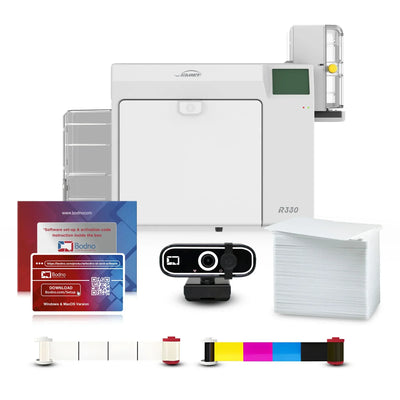
5. Seaory R660 (Retransfer)
Why it’s great for schools
- Uses retransfer tech for edge-to-edge printing and eye-catching color.
- Perfect for proximity or smart cards—no more faded spots around embedded chips.
- Protective film cuts down on scratches, ideal for IDs that get scanned or tapped multiple times a day.
Mini case study
A state university in the Midwest, with 15,000 students, replaced a DTC printer that had a 10% defect rate on smart cards. After installing the R660, that rate dropped to 2%. Over an academic year, they printed 20,000+ IDs (new students, replacements, grad students) and saved about $5,000 in reprint costs. Complaints about scanning errors fell by 25%, freeing up security staff to handle more critical tasks. The head of student services called it “a game-changer.”
Ideal for
- Schools printing large volumes of proximity or smart cards
- Campuses seeking full-bleed, pro-grade cards with minimal reprints
DTC vs. Retransfer: Which One Fits Your Campus?
• Direct-to-card (DTC) is the standard for campus IDs: fast, sharp, and easy to run on standard PVC cards. Uneven surfaces, like cards with embedded chips, can show faint borders or defects.
• Retransfer typically has a higher initial cost but offers sharper, edge-to-edge prints. It excels on uneven surfaces (like smart cards) and reduces waste in the long run due to fewer reprints.
Both methods often hover around $1 per card in supplies (blank cards and ribbons). However, retransfer can save money over time by reducing misprints and card failures—a key benefit if you’re dealing with large or technology-heavy campuses.
Still Not Sure? Take Our Quiz
Find Your Perfect ID Card Printer Quiz
For a quick recommendation, try Bodno’s quiz. It guides you through budget, card volume, and security needs, so you can pick the printer that fits your situation.
Helpful Links
• School ID Maker Machine
• Explore our retransfer printers
• Check out Bodno Proximity PVC Cards 26-bit
Why a Good ID Printer Matters
An effective ID card printer is more than just office equipment—it’s the backbone of a well-organized campus. Smoothly printed, fully functional IDs ensure students can access meals, libraries, and dorms without a hitch. Faculty and admins waste less time troubleshooting printer hiccups or reissuing faulty badges. And campus security can focus on real concerns rather than card malfunctions. If you have questions or need expert advice, feel free to reach out to Bodno’s support team. You can also explore their School ID Printer solutions from Bodno; each printer's product page shows its current price and what's included.
Answer a few questions and we'll send you the right printer, with a quote. Or compare any two side by side.