


 Bodno A10From $995
 Bodno A20From $1,595
 Bodno A30From $1,995
 Bodno A40 ProFrom $2,995



 CR80 30 mil PVC cardsFrom $3.99
 Adhesive-backed PVC cardsFrom $9.99
 Proximity cards (NoMativ)From $369.00
 NTAG NFC cards, 100 packFrom $59.00
 Buy the softwareDesign and print ID cards on PC and Mac




The Bodno buying guide
How to choose an ID card printer
Ten years of helping schools, nursing homes, agencies and businesses pick the right printer, boiled down to what actually matters: three questions, the real cost per card, and what to ask before you buy.
01
Answer three questions first
Most people start by comparing brands. Start with your cards instead. Three answers narrow a list of 35 printers down to two:
- What are you printing on? Plain white PVC cards, or cards you already have (chip, proximity or access cards)?
- One side or both? A photo and name on the front only, or a barcode, contact info or policy on the back too?
- How many cards a year? Count new hires, students or residents, plus reprints for lost and damaged cards.
Everything below follows from those three answers.
02
Direct-to-card or retransfer
There are two ways a printer puts color on a card. Which one you need depends on the card, not the budget.
Most buyers
Direct-to-card
Prints straight onto the card surface. Sharp, durable and the lowest cost per card.
Choose it for standard white PVC badges: employee IDs, student IDs, visitor and resident badges.
Special cases
Retransfer
Prints onto a clear film first, then bonds the film to the card, covering it edge to edge.
Choose it for chip, RFID and proximity cards, printing on cards you already have, or a premium look.
Not sure which cards you have? If your door reader works with your badge, it's likely a proximity or chip card. Send a photo of the front and back to sales@bodno.com and we'll tell you.
03
One side or both
A single-sided printer prints the front. A dual-sided printer flips the card and prints the back in the same pass, so you never feed a card through twice.
Go dual-sided if the back holds anything: a barcode or magnetic stripe for time clocks and libraries, emergency contacts, a return-if-found address, or a policy line. Schools and healthcare usually do. If you're unsure, dual-sided keeps the option open for years.
04
Match a printer to your volume
This is the same table our printer specialists use. Prices include Bodno ID Card Software and are today's prices on bodno.com.
| You print | Cards a year | Our first pick | Also a great fit |
|---|---|---|---|
| Front only | Under 200 | 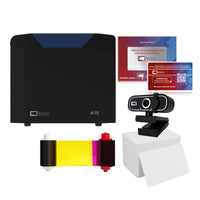 Bodno A10from $995USB |
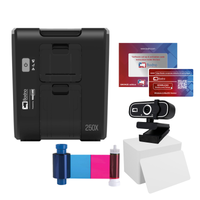 Magicard 250Xfrom $1,299Single-sided |
| Front only | 200 or more, or on a network | 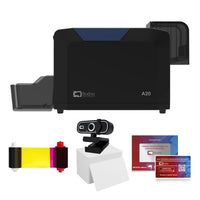 Bodno A20from $1,595USB and Ethernet |
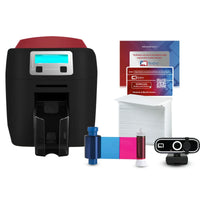 Magicard 400Xfrom $1,549Single-sided |
| Both sides | Up to 500 |  Bodno A30from $1,995Dual-sided |
Magicard 400Xfrom $1,549Dual-sided |
| Both sides | Over 500 | 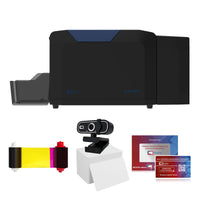 Bodno A40 Profrom $2,9955-year TotalCare included |
 Magicard Dfrom $2,595Dual-sided |
| Chip, prox or cards you have | Any | 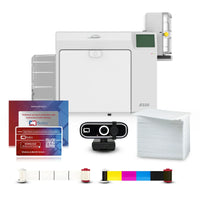 Seaory R330from $3,999Retransfer |
 Seaory R660from $4,999Retransfer |
Every printer in this table works with Windows and Mac. Want it done for you? Take the 1-minute printer quiz and a specialist emails your two matches with quotes.
05
What a card really costs
The printer is a one-time cost. Ribbons and cards are what you keep buying, so look at the cost per card before you compare sticker prices. Two things set it: the blank card and the ribbon's print count.
Example: Bodno CR80 30 mil cards in a 500 pack, and the A40 Pro's 500-print color ribbon ($149.99). Ribbon prices and print counts differ by printer, so ask your specialist for the number on the printers you're comparing.
Two ways to keep it low: buy the ribbon with the most prints your printer takes (fewer ribbon changes, lower cost per card), and buy cards in larger packs once you know your yearly count.
06
Software, Windows and Mac
Every printer we sell comes with Bodno ID Card Software. Our top printers (the Bodno A-Series, Magicard 250X, 400X and D, and Seaory R330 and R660) come with a lifetime license: it lasts the life of the printer and moves with you to a new computer.
The software and drivers work with all versions of Windows, including Windows 11, and every printer in the table above also works with Mac.
Pick the edition by what your cards need to do:
- Bronze designs and prints photo IDs and encodes magnetic stripes. Most customers use Bronze.
- Silver adds importing people from Excel or CSV, for printing a whole staff or class at once.
- Platinum adds RFID, contactless and smart card encoding.
You can try the software free before you buy. The trial has no time limit; prints carry a Bodno watermark.
07
Coverage and care
A good ID card printer lasts years; ours average about seven. Two things decide how yours does:
- Clean it every time you change the ribbon. It takes a few minutes with a cleaning kit and prevents most print problems.
- Know your coverage. Coverage varies by printer (the Magicard 400X has 4 years, for example). Our top picks get a next-day replacement if they fail under coverage, so you're not without badges for weeks.
TotalCare, our 5-year protection plan, can be added at checkout or any time later. The A40 Pro includes 5-year TotalCare free.
08
How ordering works
- Pay how your organization pays: credit card, PayPal, check, or a purchase order on Net 30 terms. Email your PO to sales@bodno.com and we'll process the order for you.
- Tax-exempt? Send your exemption form once to Tax@bodno.com before your first order. After that your account checks out tax-free.
- Shipping: free on orders of $100 or more. Orders placed by 1 PM ET ship the same day and arrive in 1 to 3 business days.
- Returns: 30 days. We pay the return shipping, and there's no restocking fee.
- Setup: every printer comes with a free setup call with a Bodno technician.
- Replacing an old printer? Our trade-in rebate takes any ID card printer in any condition, with a prepaid label.
09
Checklist before you buy
- Do I print on plain white PVC, or on chip, prox or access cards I already have?
- Will anything go on the back of the card, now or later?
- How many cards a year, including reprints?
- USB to one computer, or shared on the network?
- Do I need to import people from a spreadsheet, or encode chips?
- What does one finished card cost on each printer I'm comparing?
- What happens if the printer fails, and how fast is the replacement?
- Can I pay by PO, and does my tax exemption carry over?
