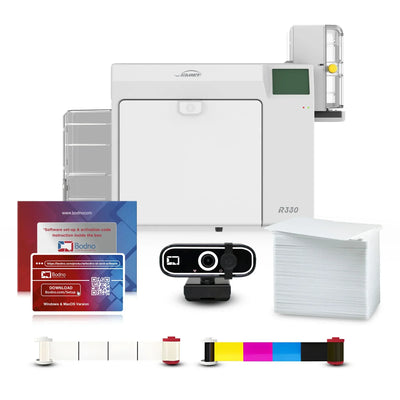


 Bodno A10From $995
 Bodno A20From $1,595
 Bodno A30From $1,995
 Bodno A40 ProFrom $2,995
 vs.
vs.

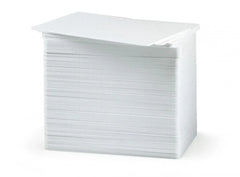
 CR80 30 mil PVC cardsFrom $3.99
 Adhesive-backed PVC cardsFrom $9.99
 Proximity cards (NoMativ)From $14.99
 NTAG NFC cards, 100 packFrom $59.00
 Buy the softwareDesign and print ID cards on PC and Mac
On this page
Overview
Efficiency is the backbone of high-volume ID card production. Whether you are managing a large school district, a healthcare network, or a corporate HR department, the ability to scale your output is essential. This technical guide demonstrates how to control multiple Seaory R330 and R660 Retransfer Printers simultaneously from a single workstation using Bodno Gold edition or above.
The Power of Multi-Printer Management
Bodno provides complete identification solutions by bundling our proprietary software with flagship hardware. By utilizing the advanced batch printing capabilities found in our professional software editions, you can distribute large print jobs across multiple machines with just a few clicks—slashing production time and keeping your team productive.
Step-by-Step Setup
1. Hardware Configuration
Connect multiple Seaory R330 or R660 units to a single PC using high-quality USB cables or Ethernet.
-
The Seaory R330: Our retransfer series starting point.
-
The Seaory R660: Our retransfer flagship, built for maximum speed and volume.
-
The Retransfer Advantage: Both models utilize premium retransfer technology for true edge-to-edge quality. These are the primary recommendation for technology cards (Proximity/Smart cards) with uneven surfaces because the image is fused onto a film before being applied to the card.
2. Software Initialization
Launch your Bodno software and verify your license using your activation code.
-
Pro Tip: To unlock simultaneous batch printing across multiple units, ensure you are using Bodno Gold edition or higher. This professional tier allows you to import external databases (Excel/CSV) and print hundreds of cards in a single run across your entire printer fleet.
3. Printer Selection & Assignment
Inside the print settings, each connected Seaory unit will appear as a separate instance (e.g., "Seaory R660 Copy 1," "Seaory R330 Copy 1"). This allows you to assign specific print jobs or batches to different machines, effectively doubling or quadrupling your output speed.
4. Design, Data Import, and Batch Execution
Choose from your saved professional templates and import your spreadsheet directly into the Bodno interface. Once your data is ready, trigger the batch print. You will see all connected printers begin processing their respective jobs simultaneously, creating durable cards that are resistant to fading and wear.
Why Choose Seaory Retransfer Printers?
The Seaory R330 and R660 are premier printers bundled with Bodno solutions. Unlike standard printers, they offer:
-
True Edge-to-Edge Quality: Professional results with no white borders.
-
Superior Durability: Images are protected under a fused film layer, preventing scratches and daily wear.
-
Universal Compatibility: Both models work natively with macOS and Windows without the need for workarounds.
Bodno TotalCare: Industry-Leading Support
At Bodno, we control the full experience—from the software to the support. To ensure your high-volume operation never faces downtime, we recommend our 5-Year TotalCare Protection Program.
The Bodno Advantage: If your printer ever needs service, we provide a loaner printer immediately so your operations continue without interruption. This is the highest level of care in the industry, covering all parts, labor, and shipping for the full 5-year term.
Download it, activate it, or add another license. Activation codes arrive by email in 15 minutes.