


 Bodno A10From $995
 Bodno A20From $1,595
 Bodno A30From $1,995
 Bodno A40 ProFrom $2,995
 vs.
vs.



 CR80 30 mil PVC cardsFrom $3.99
 Adhesive-backed PVC cardsFrom $9.99
 Proximity cards (NoMativ)From $369.00
 NTAG NFC cards, 100 packFrom $59.00
 Buy the softwareDesign and print ID cards on PC and Mac






On this page

To connect to an Excel database, click in Connect to database button.

Select the Direct Excel File Driver option.
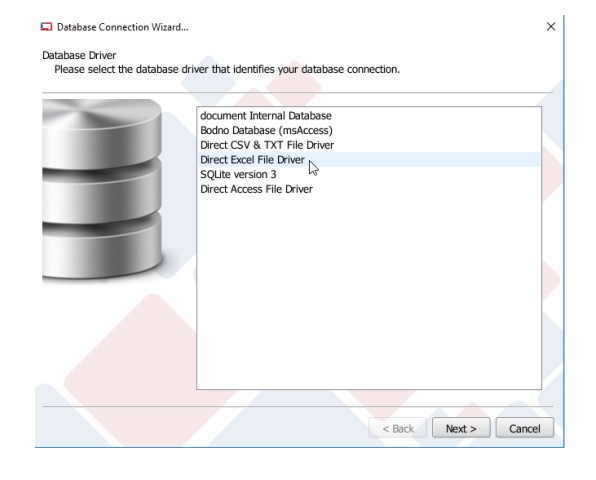
Browse the database file and click Next.

Select the worksheet that you want to work with, the header and where the data begins.
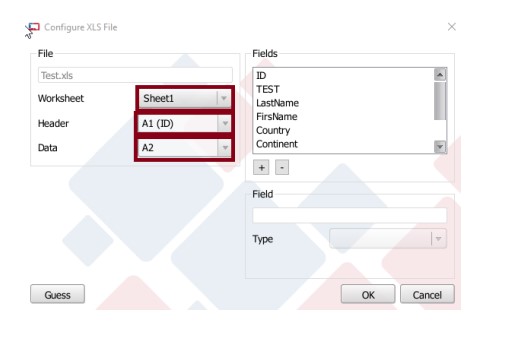
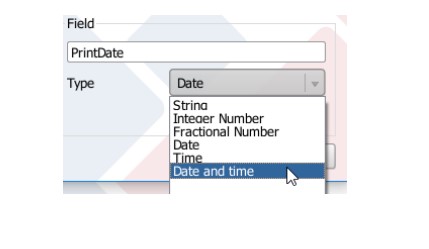
Select each column at a time and configure what kind of data the column is.

Note: To general data it is not necessary to configure the datatype, but when the column is Date and time
type it is necessary to configure it during the connection otherwise data format will be incorrect.
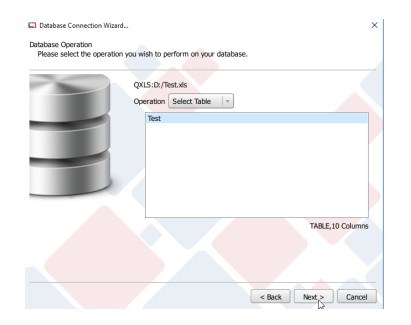
Select the table.
Select the needed columns.
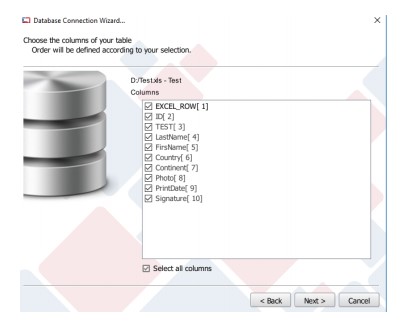
Select the Guide columns.

Click Next.
Select the columns order and click Finish.
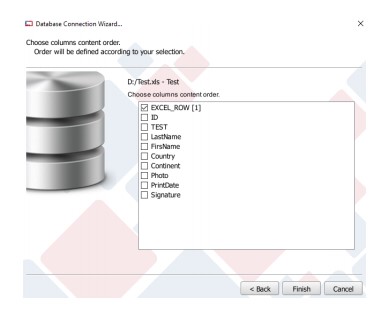
The Excel Database is now connected to your *. card and, if you have user permissions, you are able to add,
edit and delete records from the database.
Please note that the database must remain closed when working with Bodno.
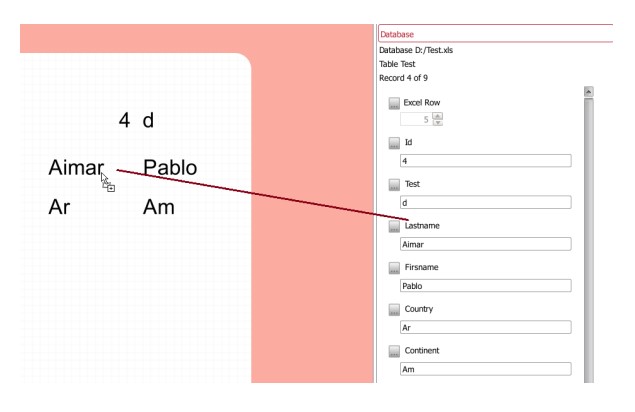
To use the database data in the design, drag and drop the column.
Print just one record
Need to reprint one card, not the whole list? You do not have to print the full database.
1- In the database panel, open the Browse Records tab and click the record you want, so only that record is selected.
2- Click Print. In the print options, choose Selected Records in browse view.
3- Print. Only the selected record goes to the printer.
To print a few cards, select just those records in the Browse Records tab before you print. If nothing prints, make sure at least one record is selected.
Did this fix it?
Still having trouble? Let us take it from here.
Leave your details and tell us what's happening. The CEO's office will have a senior member of our support team reach out to you. It isn't instant, so if it can't wait, call (732) 987-5300, Monday to Friday, 9 AM to 6 PM ET.
Download it, activate it, or add another license. Activation codes arrive by email in 15 minutes.
