Bodno A10From $995
 Bodno A20From $1,595
 Bodno A30From $1,995
 Bodno A40 ProFrom $2,995
 vs.
vs.



 CR80 30 mil PVC cardsFrom $3.99
 Adhesive-backed PVC cardsFrom $9.99
 Proximity cards (NoMativ)From $369.00
 NTAG NFC cards, 100 packFrom $59.00
 Buy the softwareDesign and print ID cards on PC and Mac






On this page

To connect SQL Server DB to Bodno ID Card Software please click in the Connect to Database button and choose ODBC connection.
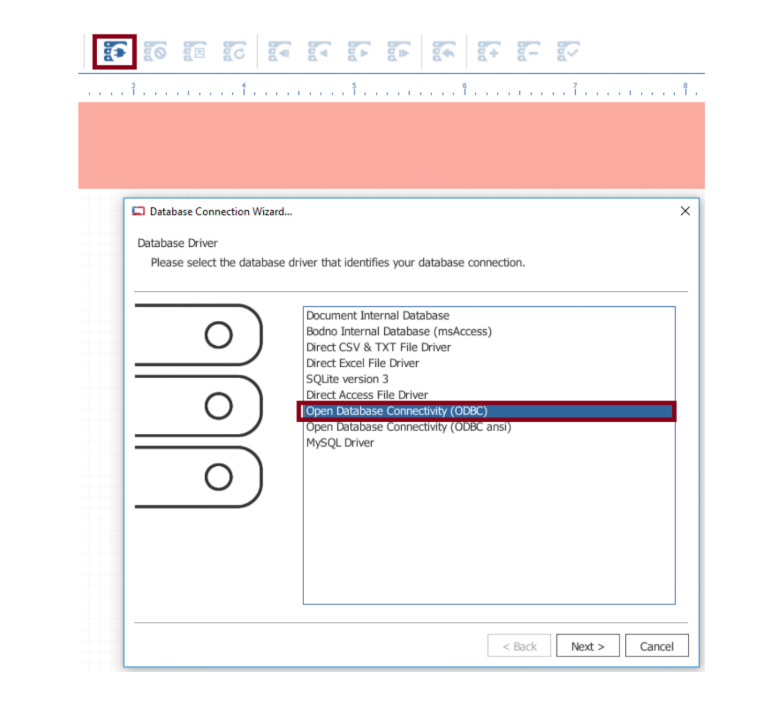
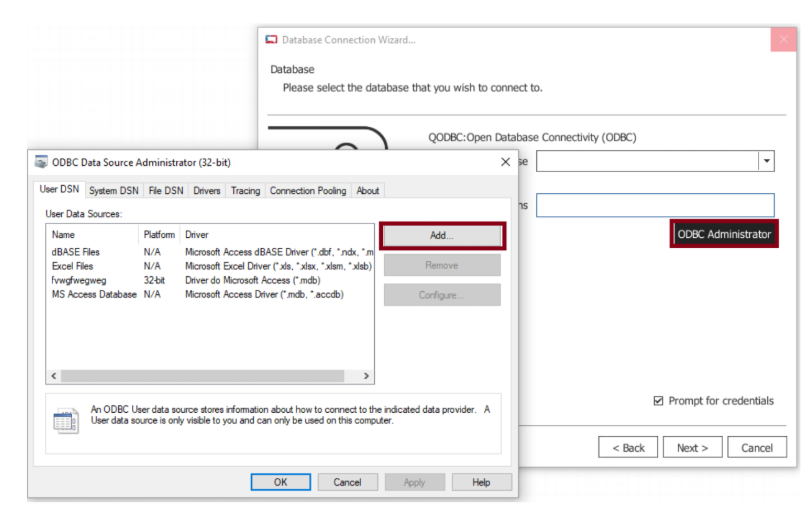
Click in the ODBC Administrator option and select the Add... button.
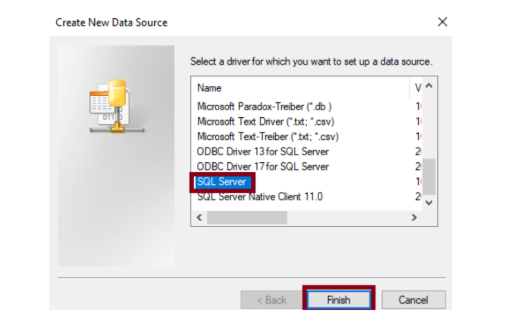
Select the SQL Server you need and click Finish.
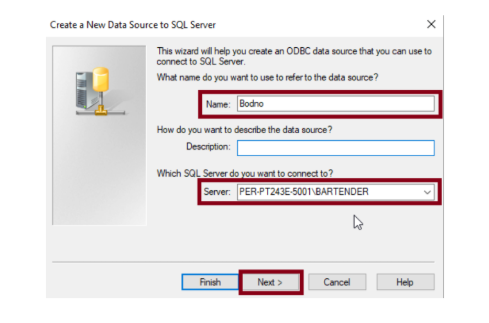
Fill the Name that will identify the connection in Bodno ID Card Software and select the correct server to connect and click Next.
Select the option for login and insert login data.
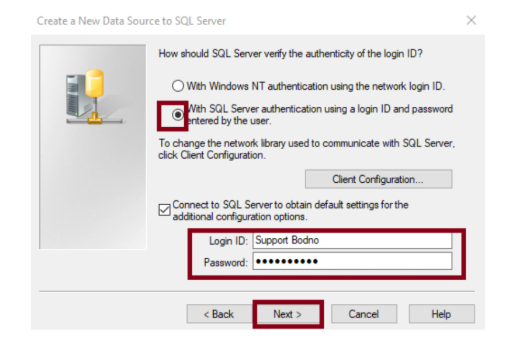
Choose the options according to your needs and click Next.
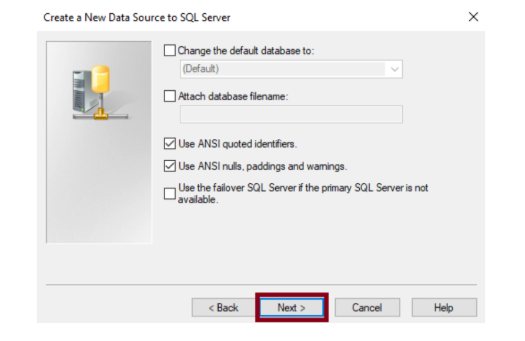
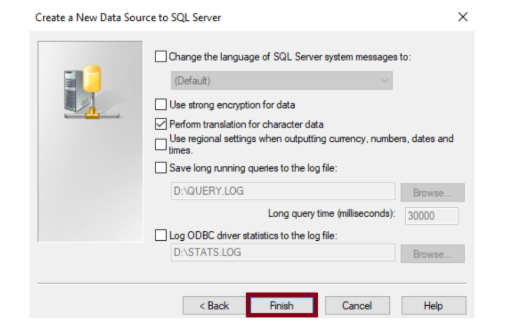
Select the options according to your needs and click Finish.
Test the Data Source and confirm that the connection is working as expected.
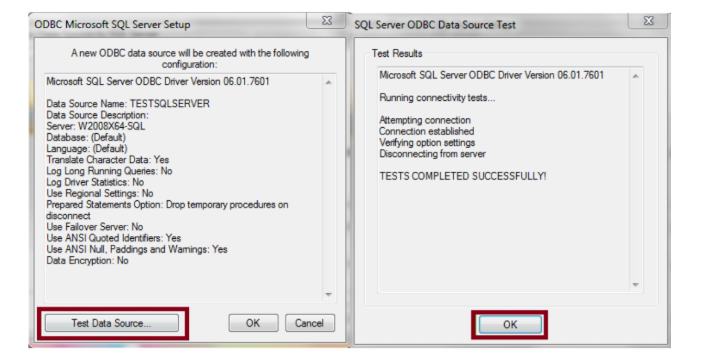
Click OK until you return to the initial window. Select the desired connection and click OK.
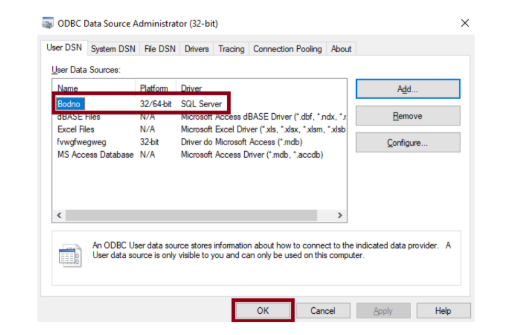
Select the correct ODBC and click Next.
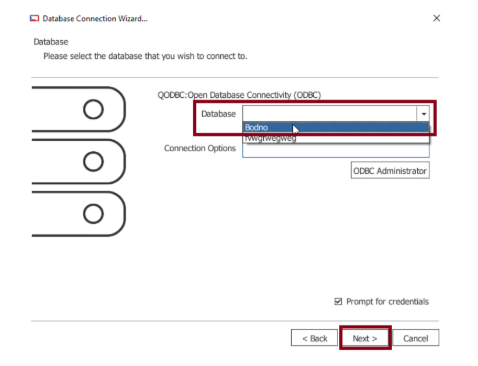
Fill the credentials and click OK.

Select the table you want to work with and click Next.
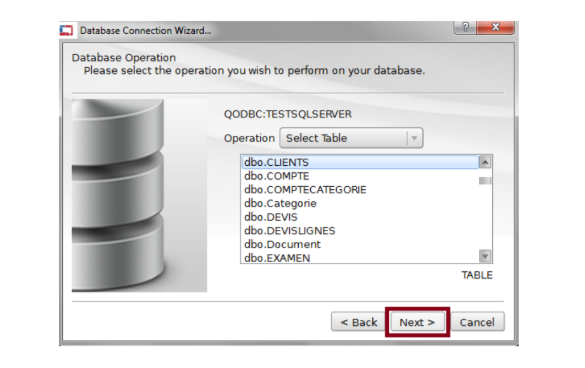
Proceed with the connection clicking Next until Finish.
The connection is now established, and your table data is available in Bodno.
If the user has proper permissions it is possible to add, edit and delete records through Bodno.
Did this fix it?
Still having trouble? Let us take it from here.
Leave your details and tell us what's happening. The CEO's office will have a senior member of our support team reach out to you. It isn't instant, so if it can't wait, call (732) 987-5300, Monday to Friday, 9 AM to 6 PM ET.
Tell our support team your printer model and what you see on the screen, and we'll help you get printing.