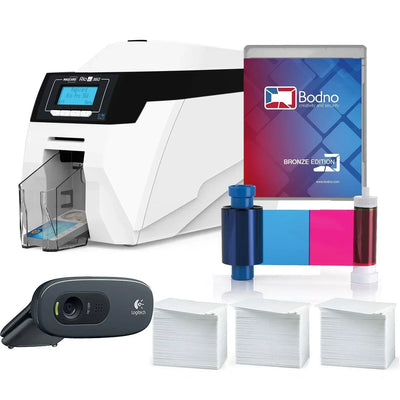
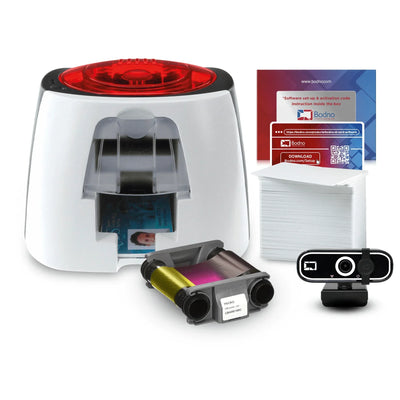
Bodno A10From $995
 Bodno A20From $1,595
 Bodno A30From $1,995
 Bodno A40 ProFrom $2,995
 vs.
vs.



 CR80 30 mil PVC cardsFrom $3.99
 Adhesive-backed PVC cardsFrom $9.99
 Proximity cards (NoMativ)From $14.99
 NTAG NFC cards, 100 packFrom $59.00
 Buy the softwareDesign and print ID cards on PC and Mac





On this page
Modern ID card printers often feature a compact design and sturdy build that not only gives them a small footprint but also makes it convenient to transport the printers from one location to another as per your needs. However, not all ID card printer models are portable; especially those that are built to accommodate large volume printing needs. Therefore, if you are planning to use your ID card printer for off-site uses, then you will need to get a compact model like the Fargo DTC4250e or Magicard Rio Pro.
No matter what the size of your ID card printers is, you will still need to ensure that they are transported safely and securely from point A to point B. Likewise, you will also need to carry all the supplies with the equipment to make sure that your printing applications run without any disruptions. Below are some tips that will help you to safely transport your ID card printers to fulfill your varied needs.
Making Your ID Card Printers Portable
The simplest solution to take your ID card printer along when you need it for off-site ID printing needs is to pack it in a secure hard or soft travel case. This will keep your ID card printer protected against unfavorable elements that could damage the printer. Hard-backed travel cases are also the best option when you are flying to your destination and need to check-in the printer with the airline. Besides, they will also have easy-roll wheels and pop-up handles to make it easier for you to carry the equipment.
ID card printer travel cases are built to perform in the most severe conditions and are dustproof, airtight, corrosion-proof, watertight, and dent-proof. Another great thing about them is that they have enough room for the supplies as well. You can set foam molds inside the case based on the dimensions of your ID card printer model so that it stays put during transport. Moreover, you can also add a padlock to the carry case to secure your ID card printer physically when not in use. Once you get to your destination, a smaller printer such as the Evolis Badgy100 will be easy to set up and begin printing quickly.
When you are transporting your ID card printer, make sure that you have the ID printer’s ID card software installed on your laptop. This will allow you to have your equipment ready to use when you get to your destination. In addition to installing the software, make certain that the database information is accessible from remote locations.
Browse Bodno’s best compact printers here:
Pick your printer and we show the ribbons, cards and cleaning kits made for it.