Bodno A10From $995
 Bodno A20From $1,595
 Bodno A30From $1,995
 Bodno A40 ProFrom $2,995
 vs.
vs.



 CR80 30 mil PVC cardsFrom $3.99
 Adhesive-backed PVC cardsFrom $9.99
 Proximity cards (NoMativ)From $14.99
 NTAG NFC cards, 100 packFrom $59.00
 Buy the softwareDesign and print ID cards on PC and Mac





On this page
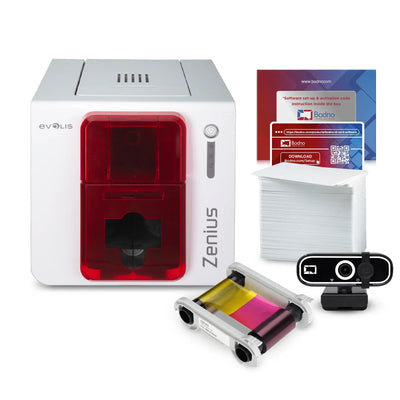
Evolis Zenius is one of the most user-friendly and cost-effective ID card printers out there. The single-sided printer is compact, easy to use, and can print high-quality and full-colored ID cards within 30 seconds. It also supports edge-to-edge printing, which makes logos, barcodes, and text efficiently with Evolis Zenius. Below are some of the common frequently asked questions about Evolis Zenius ID card printer.
Which Software Applications are Compatible with Evolis Zenius?
All of the Evolis printers are compatible with Windows OS drivers. Some of the printing functions that can be operated from the applications are ID cards, badges, and access cards. Before printing, make sure the card’s dimensions are set up within the software are correct.
Which are the Encoding Technologies Supported by Evolis Zenius?
Evolis Zenius supports all types of modern encoding features, be it magnetic stripe, smartcard, or contactless chip encoding. It supports DESFire, Mifare 1K, Mifare 4K, SmartMX, Ultralight, and most of the major ISO15693 and ISO7816 encoding technologies. It can also be used to print 1D and 2D barcodes, contactless RFID encoding, and all kinds of PC/SC compliant encoders.
Does Evolis Zenius Allow Using the Same License Key on Multiple Computers?
Evolis allows installation of their ID card printer software on multiple computers. However, you will be required to connect the USB key on your computer to make the most of the features. Make sure the USB dongle is connected to the computer working the software to be able to access the full licensing mode.
How Can I Upgrade Firmware of Evolis Zenius?
It is very easy to upgrade the firmware of Evolis Zenius. You need to visit the Evolis printer’s website, go to the Driver & Support section, and download the latest printer firmware on your computer. Then open the Evolis Print Center on your PC, go to Printer Properties, select Maintenance, and click on Firmware Update. Lastly, click on the Launch the firmware update wizard button and follow the on-screen instructions to complete the process.
Are Evolis Primacy Ribbons Compatible with Evolis Zenius?
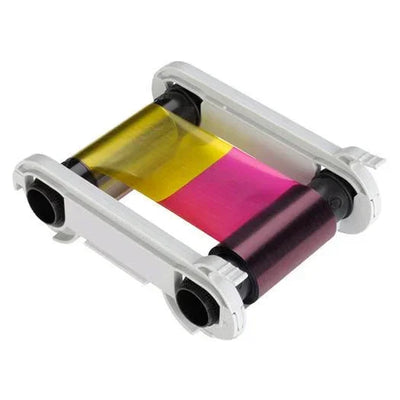
You can use most of the Evolis Primacy ribbons for your Evolis Zenius ID card printers. Unfortunately, the R5F005xxx (YMCKO), R2F010xxx (KO), and R6F003xxx (YMCKOK) printer ribbons are not compatible with Evolis Zenius. It is recommended to use the suggested ribbons and supplies for your ID card printers to get the best output. Due to Evolis Primacy using a variety of printing technologies and frames, the ribbons are non-interchangeable with other printer models.
Answer a few questions and we'll send you the right printer, with a quote. Or compare any two side by side.