Bodno A10From $995
 Bodno A20From $1,595
 Bodno A30From $1,995
 Bodno A40 ProFrom $2,995
 vs.
vs.



 CR80 30 mil PVC cardsFrom $3.99
 Adhesive-backed PVC cardsFrom $9.99
 Proximity cards (NoMativ)From $14.99
 NTAG NFC cards, 100 packFrom $59.00
 Buy the softwareDesign and print ID cards on PC and Mac





On this page
Using an ID card printer in-house can offer you the convenience of reliable and high-quality ID card production that can last for many years. The ID card printer tips shared by our experts can be helpful to you if you are a new ID printer owner.
Use ID Printers With Care
To maintain your ID printer in immaculate condition, you need to ensure that the printer is being used with care. All your employees should use the printer with care and not just the person who is in charge of printing the ID cards. Ensure that the ID printer is stored in a logical spot that is easy to access and clean.
Beware Of Static
Static can make your ID cards cling to each other which can be frustrating when you are trying to print or store large amounts of ID cards. To minimize static, you can hold the ID cards by the corners and edges. You may also fan the ID cards apart during the printing process. This can ensure better printing and hence, better results.
Replace Printer Ribbon
You need to tend to your ID card printer ribbon if you wish to utilize your investment regularly. It is very common for printer ribbons to tear and you can easily fix this using s clear tape. But if the ribbon tears frequently, it is better to replace the printer ribbon altogether. Also, after replacing the printer ribbon, you can adjust the driver settings of the ID printer which can reduce the ink expenditure while printing, thereby reducing the overall temperature of your ID card printer. You may also recalibrate the ribbon sensor of your ID card printer to avoid overheating the printer ribbon.
Try Testing
You need to test continuously to create the perfect ID cards. You can design the right ID cards only through a trial-and-error process. You can try printing single test copies of various design formations to find the one with the best quality. Tweak the printer settings and test until you have landed on the right ID card design for your business.
Train Everyone
You need to ensure that everyone who comes into contact with your ID printers knows how to operate them. It is not an easy task to operate an ID card printer and if a task falls into the wrong hands, it can result in an expensive mistake. To avoid this, you should train all your employees on the ins and outs of your ID printers.
Follow these tips to ensure a long-lasting ID printer and badging system.
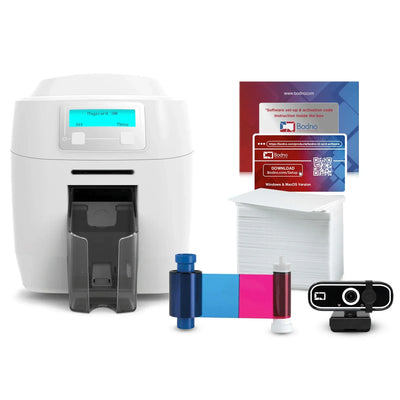
Every Bodno printer ships as a kit with Bodno ID Card Software, a ribbon and blank cards.