


 Standard Blank PVC Cards
 Mylar Adhesive-Backed Cards
  Proximity Cards (Nomativ)
  NTAG Cards
  Software
 Upgrades
 Bodno Trial
 Renew
Renew Ben King
 Benjamin Cohen
 Ciara Uychoco
 Eli Feig
 Jack Richter
 TotalCare
 Self Serve
 Printer Setup
 License Status
 Find My Activation Code
Your Cart is Empty.
Let’s Find Your Perfect Printer!
Free Shipping Over $100

Free Shipping Over $100
Used by 75,000+ businesses
Lifetime expert support included
Over 50 million cards printed
Your Cart (0)
Your Cart is Empty.
Let’s Find Your Perfect Printer!
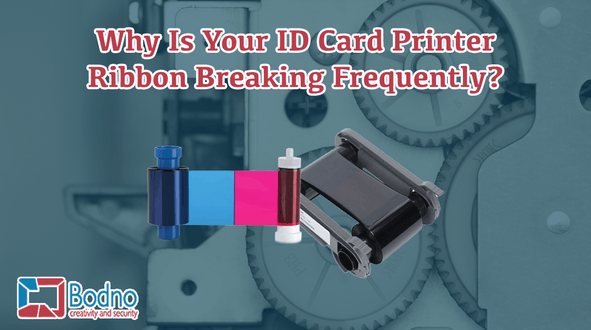
Are you worried about your ID card printer ribbon breaking frequently? A broken ID card printer ribbon can be the most frustrating thing that can happen with your ID printer. A broken printer ribbon can not only affect the timely printing of your ID cards but can be annoying if you do not know how to stop it from happening.
Anyone can easily fix an ID card printer ribbon that is broken. You just need to tape the ribbon back together, move the ribbon forward, and then resume the ID card printing. Even though this is a simple fix, doing it improperly can result in a costly repair or early replacement of the printer. Some of the most common causes of ID card printer ribbon breaking are shared below for your knowledge.
ID card printers are much more sensitive to dust and debris than other printers. Oil from your fingers or small particles of dust can lead to many printer issues. Therefore, it is important to clean your printer with original printer cleaning kits supplied by the printer manufacturers. For instance, Evolis printers should be cleaned by cleaning kits supplied by Evolis manufacturers.
There are direct-to-card and retransfer ID card printers. Direct-to-card printer models can print close to the edge of the ID cards, but will not be able to print over the edge of the ID cards, like a retransfer printer. If you try to do this with a direct-to-card ID card printer, it may lead to the printer ribbon breaking. It is true that every ID card printer is different. Therefore, you should always check the top of the form settings of the ID card printer and print an alignment test card before actually printing your ID cards.
There are chances of the printer ribbon breaking when the heat settings are very high. You will be able to adjust the color intensity of your ID card printer as per the printer model that you use. For instance, color adjustments for Fargo printers can be done by going to the “Tool Box” located under “Advanced Settings.” In the ToolBox, you can make changes to the color intensity. If the color intensity is too high, that is, the color is too dark, the printhead will become very hot which can result in breakage of the printer ribbon.


