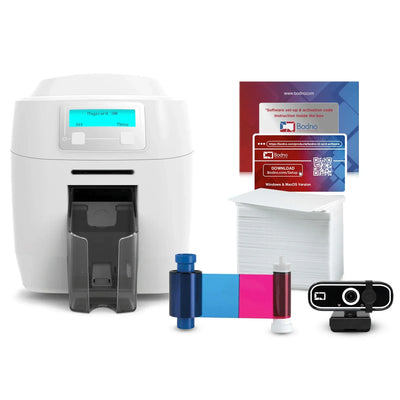


 Bodno A10From $995
 Bodno A20From $1,595
 Bodno A30From $1,995
 Bodno A40 ProFrom $2,995
 vs.
vs.

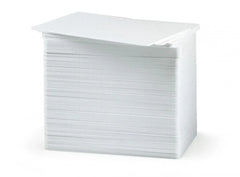
 CR80 30 mil PVC cardsFrom $3.99
 Adhesive-backed PVC cardsFrom $9.99
 Proximity cards (NoMativ)From $369.00
 NTAG NFC cards, 100 packFrom $59.00
 Buy the softwareDesign and print ID cards on PC and Mac
On this page
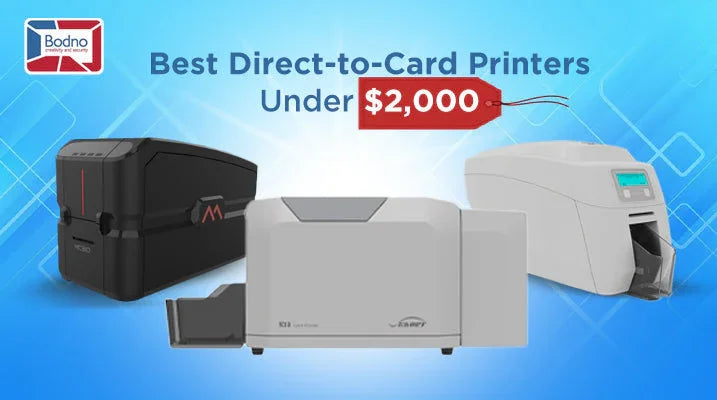
Are you tired of dealing with blurry badges and downtime from constant printer jams? It’s a common pain point for businesses that regularly issue ID cards, membership passes, or employee badges. Luckily, you can find modern, dual-sided direct-to-card (DTC) printers under $2,000 that balance budget, quality, and reliability. If you’re looking for options that focus on affordability without sacrificing performance, check out Cheap ID Card Printers to see printers tailored for cost-conscious buyers. Below, we compare three such models—Matica MC320, Seaory S28, and Magicard 300—each with its unique strengths and price points.
Why Choose a DTC Printer Under $2,000?
- Affordability: DTC printers in this range save you money compared to premium, high-end options.
- Professional Quality: They deliver crisp logos, clear text, and durable cards—perfect for businesses or institutions.
- Efficiency: Modern printers reduce jams and print faster, so you can focus on more pressing tasks.
1. Matica MC320
Resolution: 300 × 300 dpi
Sides: Dual (this version)
Best For: Organizations seeking a budget-friendly, mid-volume workhorse
Highlights
- Most Affordable: The most cost-effective of the three; see the Matica MC320 page for current pricing.
- Solid Print Speed: Efficient for mid-volume printing needs.
- Straightforward Maintenance: Quick ribbon swaps and easy cleaning.
- No Lockable Hopper: If security of card stock is a concern, note this limitation.
Case in Point: After switching to the Matica MC320, a company in Houston cut reprint costs by 25% due to fewer jams and wasted cards—freeing up both budget and staff time.
2. Seaory S28
Resolution: 300 × 1200 dpi (highest on this list)
Sides: Dual (standard)
Best For: Teams that want high-resolution prints, excellent reliability, and professional dual-sided output from day one
Highlights
- Top-Tier Resolution: 300 × 1200 dpi for vivid, detailed card designs.
- Excellent Reliability: Consistent performance with minimal downtime and fewer reprints.
- Dual-Sided Printing Included: No extra module needed—perfect for businesses needing professional front-and-back designs.
- Compact & User-Friendly: Ideal for smaller offices or staff new to ID card printing.
Real-World Win: Carrie, who runs a fitness studio in Denver, printed 2,000 dual-sided membership cards in a month using the S28. She praised its exceptional reliability—zero jams, zero wasted cards—and premium print quality.
3. Magicard 300 Dual
Resolution: 300 × 300 dpi
Sides: Dual (included)
Best For: Organizations valuing built-in security features and an easy setup
Highlights
- HoloKote® Watermark: Unique anti-counterfeiting layer without extra consumables.
- Simple Interface: Great for teams that need a quick learning curve.
- Value: dual-sided printing plus a built-in security watermark; see the Magicard 300 page for current pricing.
- Reliable: Generally stable performance, though Seaory S28 is often cited as the top in reliability.
Success Story: Carla, who manages security at a campus in Portland, appreciates the Magicard 300 for its ease of use and security watermark, giving her team peace of mind against fraudulent badge copies.
Quick Reference: Feature Comparison
| Printer | Price | Resolution | Sides | Reliability | Security Feature | Ideal For |
|---|---|---|---|---|---|---|
| Matica MC320 | Current price | 300 × 300 dpi | Dual | Good (budget option) | Standard | Cost-conscious, mid-volume printing |
| Seaory S28 | Current price | 300 × 1200 dpi | Dual | Excellent | Standard security | High detail, minimal downtime, pro output |
| Magicard 300 Dual | Current price | 300 × 300 dpi | Dual | Very Good | HoloKote® watermark (anti-fraud) | User-friendly, extra security |
How to Pick the Right Printer
-
Budget vs. Print Quality
- Lowest Cost: Matica MC320
- Highest Resolution: Seaory S28 (300 × 1200 dpi)
-
Reliability & Uptime
- The Seaory S28 stands out for minimal jams and continuous performance.
-
Security Concerns
- The Magicard 300 Dual offers HoloKote® watermarks to combat counterfeiting.
-
Printing Volume
- All three models efficiently handle mid- to high-volume printing, but Seaory S28’s reliability can save more time in the long run if you’re issuing thousands of cards monthly.
Why Upgrade Now?
- Save on Outsourcing: Bringing badge printing in-house cuts third-party fees.
- Reduce Downtime: Modern DTC printers minimize jams, freeing your team’s valuable time.
- Professional Image: High-resolution, dual-sided cards make a strong impression—ideal for corporate badges or membership programs.
Efficiency Insight: In just three months of upgrading to a new DTC printer, most businesses notice at least a 20–25% reduction in reprint costs, translating into significant annual savings.
Final Thoughts & Next Steps
Whether you prioritize cost savings (Matica MC320), top-tier print clarity and best reliability (Seaory S28), or built-in anti-fraud features (Magicard 300 Dual), these sub-$2,000 direct-to-card printers all offer a substantial step up from outdated, error-prone models.
Ready to Level Up Your ID Card Printing?
- Check out our Printer Quiz to pinpoint the perfect match in under two minutes.
- Explore our Full Printer Catalog for more details on each model’s ribbon options, accessories, and warranty coverage.
Don’t let poor-quality prints and frequent jams stall your operations. Invest in a reliable, high-quality DTC printer now—and start enjoying crisp, professional ID cards right out of the box!
Answer a few questions and we'll send you the right printer, with a quote. Or compare any two side by side.