


 Bodno A10From $995
 Bodno A20From $1,595
 Bodno A30From $1,995
 Bodno A40 ProFrom $2,995
 vs.
vs.



 CR80 30 mil PVC cardsFrom $3.99
 Adhesive-backed PVC cardsFrom $9.99
 Proximity cards (NoMativ)From $14.99
 NTAG NFC cards, 100 packFrom $59.00
 Buy the softwareDesign and print ID cards on PC and Mac





Still running a Magicard Ultima? Upgrade to the Seaory R660, our retransfer flagship and get a $600 trade-in rebate for your old printer.
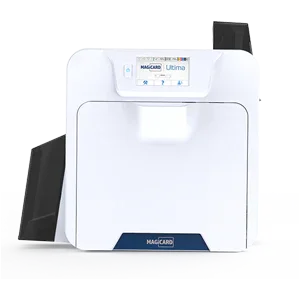
Printer Support › Magicard Ultima
Older model · still supportedMagicard Ultima Support
Drivers, firmware, manuals and step-by-step fixes, plus the ribbons and cards that fit this printer.
Magicard Ultima Drivers, Firmware & Manuals
Setting up a new computer? Do it in this order.
- Install the printer driverThen connect the printer to your computer and turn it on.
- Install Bodno ID Card SoftwareActivate it with the code from your email.
- Print a test cardConfirms the printer, ribbon and driver all work.
Bodno ID Card Software
Design and print your cards. Already installed? Activation & license help
Latest version 1.7.139 · Windows (including 11) & MacGuides & manuals (PDF)
Unboxing, loading the ribbon and cards, cleaning and settings.
Magicard Ultima Fixes & How-To
Find your error code, or pick the topic below. Most problems are sorted in a few minutes.


Ribbons & Cards for the Magicard Ultima
The ribbons, cards and cleaning kits made for this printer. Free shipping over $100.
Trade in your Magicard Ultima for up to $600 back
We still support the Magicard Ultima. When it's time to upgrade, send it to us in any condition, working or not, and get a rebate on a new printer. We send the prepaid label.

Magicard Ultima FAQ
How do I download and install the Magicard Ultima driver?
Use the Printer driver button above for Windows or Mac. Run the installer, then connect the printer by USB and turn it on. When the printer shows up in Printers & scanners, print a test card to confirm everything works.
On a Mac, if the installer will not open, go to System Settings › Privacy & Security and click Open Anyway. Company computers may need IT to allow it.
How do I update the Magicard Ultima firmware?
Most printers rarely need it. Update only if our support team asks you to, or to fix a known issue. Download it from Firmware update above, keep the printer turned on and connected by USB, and follow the instructions that come with the download.
Do not turn off or unplug the printer while it updates. If you would rather not do it alone, call us and a technician will run it with you over remote support.
Which versions of Windows does the Magicard Ultima work with?
All of them, including Windows 11. The Magicard Ultima driver and Bodno ID Card Software both work on any version of Windows. Get them from the downloads above.
Does the Magicard Ultima work on a Mac?
Yes. Download the Mac driver above. Bodno ID Card Software runs on Mac too.
How do I print a test card?
Most card printers print a test card from the driver: open Printers & scanners, select the printer and open Printing preferences. The User Manual above shows the exact steps for the Magicard Ultima. If you cannot find it, call us and we will walk you through it.
If the test card prints cleanly but your cards do not, the problem is in the software or the card design, not the printer.
Which ribbons and cards does the Magicard Ultima use?
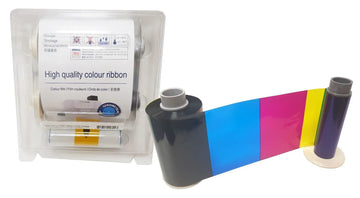
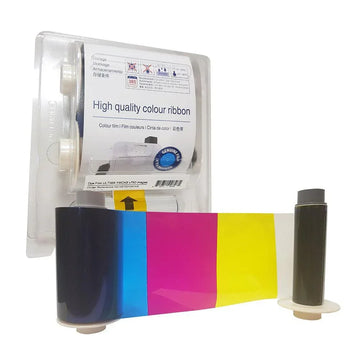
Ribbons and film made for the Magicard Ultima:
- Magicard HE1000YMCK Color Ribbon for Ultima - YMCK - 1,000 prints $433.40
- Magicard HE750YMCKS Color Ribbon with Secure HoloKote for Ultima - YMCKS - 750 prints $433.40
- Magicard SET-HE3000S Secure HoloKote Set for Ultima - 4 YMCKS Ribbons + 3 Retransfer Films - 3,000 prints $2,499.00
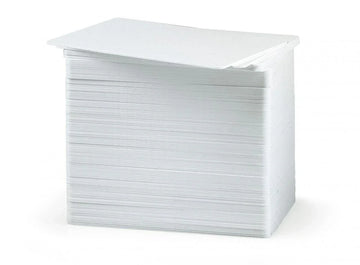
Cards: CR80 PVC cards. Most badges are printed on 30 mil cards, like our Bodno CR80 30 mil PVC cards. Keep them in the box until you load them, because dust and fingerprints show up on the print.
Which cleaning kit does the Magicard Ultima use, and how often should I clean it?
Magicard recommends cleaning every 700 cards or at every ribbon change, whichever comes first, and right away if you see specks, dots or lines on your cards.
My driver settings keep changing back.
Close your card software. In Devices and Printers, right-click the printer › Printer Properties › Advanced tab › Printing Defaults, and make your changes there. Then open Printing Preferences and check the same settings are set there too.
The driver install fails with error 2502.
The Windows account doesn’t have permission to install software. Sign in with a local administrator account just to install the driver (your IT team can help), then switch back. The printer works normally from a regular account afterward.
Does the Magicard Ultima come with a CD?
No. There is no CD. Download the driver and Bodno ID Card Software from the Downloads section above, or from bodno.com/pages/setup.
The driver won’t install, and Windows is in S mode.
Windows in S mode can’t install printer drivers. Switch out of S mode: open Settings › Activation and choose Switch out of S mode. It’s free, but you can’t switch back. On a school or work computer, ask your IT team.
Can I connect the Magicard Ultima through a USB hub or dock?
No. Use the USB cable that came with the printer, plugged straight into the computer. Skip hubs, docks and adapters, and on a desktop use a port on the back.
Does the Magicard Ultima work with a Chromebook?
No. Chromebooks only print to printers that work without a driver, and Magicard printers need one. Use a Windows or Mac computer.
I have a new computer. What do I install?
Three things, in this order: the printer driver, Bodno ID Card Software, then a test card. Activate the software with the code from your purchase email. If activation does not go through, see Activation & license help or call us.
What should I send support so they can help fast?
- Your printer model and the serial number from the label on the printer
- A photo of the card or the error message
- Windows or Mac, and which version
- USB or Ethernet
- Your order number, so we can check your coverage, including TotalCare
Talk to a Bodno Technician
Real people who set up these printers every day. Tell us what you see and we'll walk you through it on your Magicard Ultima.
Call, email or share your screen
Pick whichever is easiest. Phone is fastest.
Send us your question
Include your printer model, and a photo of the card or error message if you can.
